Imqrscan




What is IMQRScan?
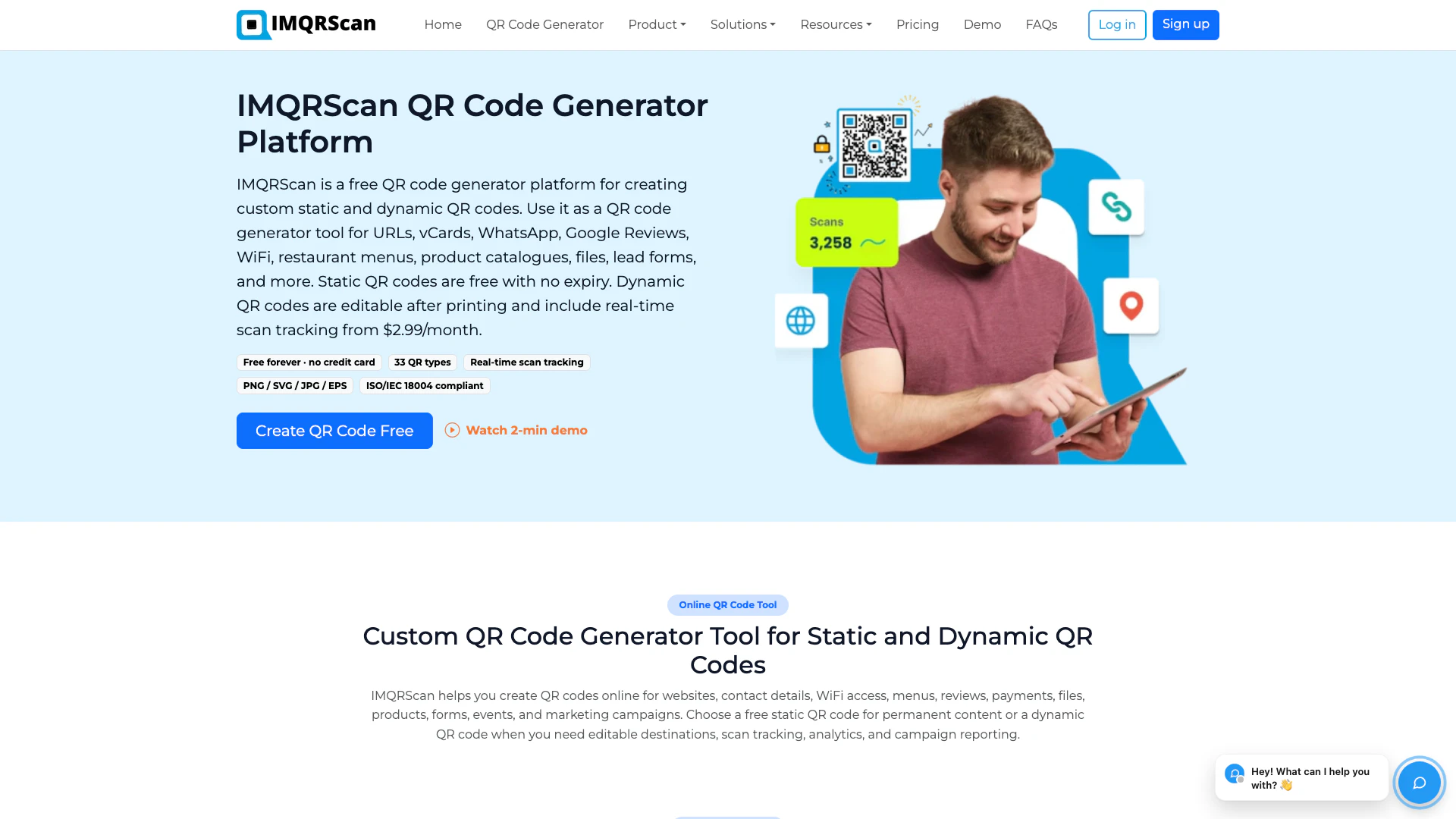
IMQRScan is an online QR code generator platform designed for creating, managing, customizing, and tracking both static and dynamic QR codes. With IMQRScan, businesses can generate QR codes for various purposes, including directing customers to websites, sharing contact information via vCards, connecting to WiFi, displaying menus, and facilitating Google reviews. This platform stands out for its branding capabilities, allowing users to customize QR codes to align with their corporate identity, and for its tracking features that provide insights into the QR code performance, making it a valuable tool for marketing and engagement strategies.
How to use IMQRScan?
- Visit the IMQRScan website at http://imqrscan.com/.
- Choose the type of QR code you want to create: static or dynamic.
- Enter the required information such as URL, text, or other data that you want to encode in the QR code.
- Customize your QR code by selecting colors, adding a logo, or adjusting the design to match your branding.
- Generate the QR code and preview it.
- Export the QR code in your desired format (PNG or SVG) for use in your marketing materials or products.
- If you are using dynamic QR codes, set up tracking options to monitor scans and engagement.
What are the main features of IMQRScan?
- Create static and dynamic QR codes with ease.
- Customize QR codes with branding elements such as logos and colors.
- Export QR codes in high-quality PNG and SVG formats.
- Manage and track the performance of dynamic QR codes.
- Use for various applications including websites, vCards, WhatsApp, WiFi, menus, files, Google reviews, and marketing campaigns.
Who is IMQRScan for?
IMQRScan is ideal for businesses, marketers, event organizers, and entrepreneurs looking to leverage QR codes for various applications. It caters to users who need a versatile tool for creating QR codes that can be used in marketing campaigns, product promotions, and customer engagement initiatives. Whether you're a small business owner wanting to share your contact information or a large corporation seeking to enhance your marketing strategy, IMQRScan provides the features needed to create effective and branded QR codes.
What are the use cases of IMQRScan?
- Generate QR codes for product catalogues to enhance customer engagement.
- Create branded QR codes for marketing campaigns to track user interactions.
- Use dynamic QR codes for events to provide attendees with quick access to schedules or materials.
Imqrscan Video
Imqrscan Pros and Cons
Pros
- Dynamic QR Code Management: IMQRScan allows users to create and manage dynamic QR codes, enabling updates without reprinting, which can significantly reduce costs.
- Real-Time Analytics: The platform provides real-time tracking and analytics for QR code scans, helping businesses understand user engagement and optimize marketing strategies.
- Multilingual Support: IMQRScan supports over 22 languages, automatically detecting visitor browser languages to enhance user experience for global audiences.
Cons
- Limited Free Features: Some advanced features, such as password protection and detailed analytics, may only be available in paid plans, limiting functionality for free users.
- Dependency on Internet Access: Using IMQRScan's features, especially tracking and analytics, requires a stable internet connection, which may not be available in all locations.
Imqrscan Pricing
Free Plan
Free static QR code creation.
Dynamic Plan
Dynamic QR code plans with editing, scan tracking, branded customization, and campaign analytics.
For the latest pricing, please visit this link: https://imqrscan.com/pricing-plans
Prices are subject to change. Please visit the official website for the most up-to-date pricing information.