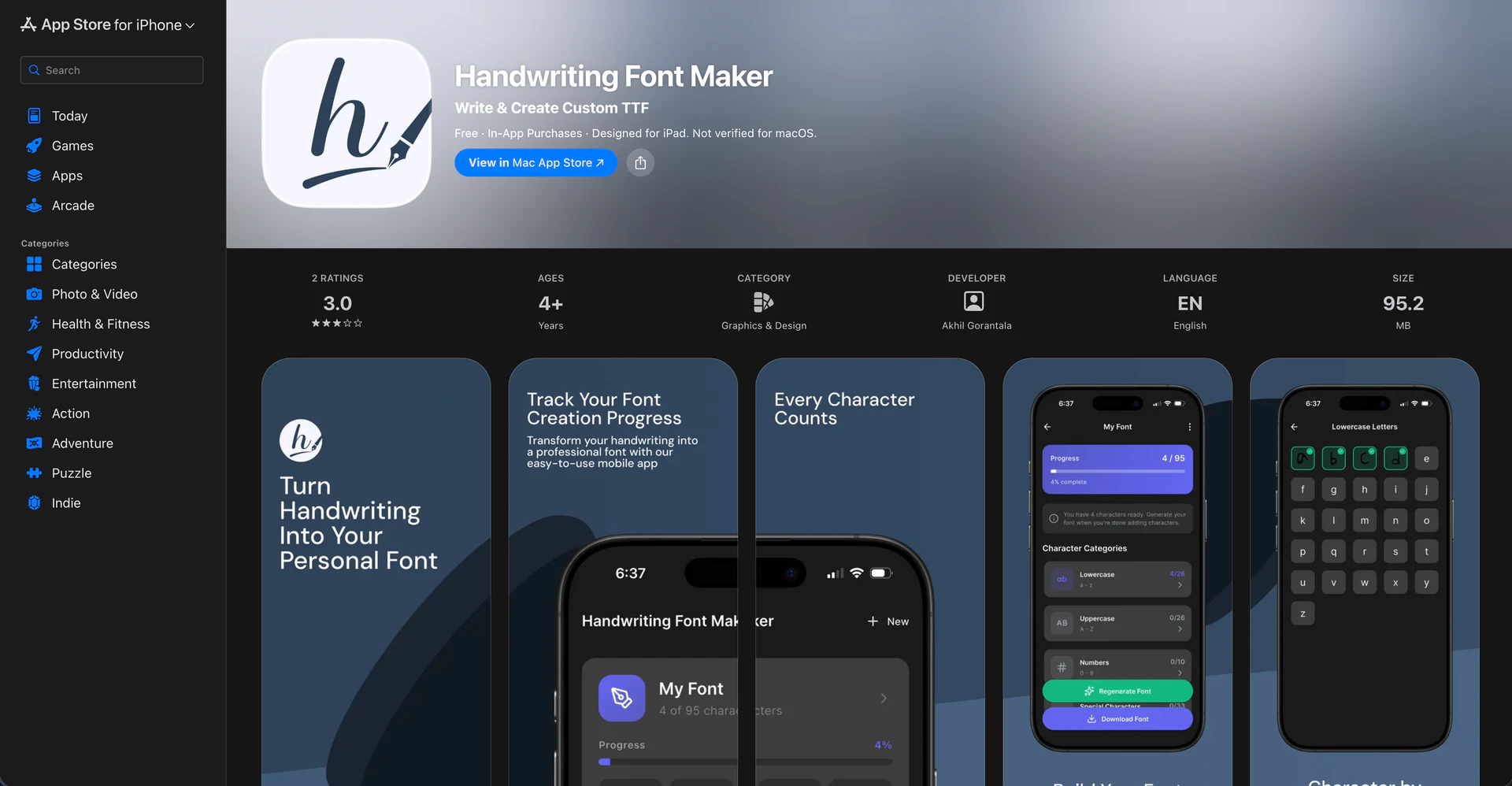
Handwriting Font Maker - iOS App




What is Handwriting Font Maker?
Handwriting Font Maker is a unique mobile application designed to transform your personal handwriting into beautiful, fully functional fonts directly from your iPhone. This innovative tool allows you to create custom fonts that capture the essence of your handwriting style, whether it's casual printing, elegant cursive, or artistic calligraphy. The app guides you through the process of writing each letter on structured templates, which it then converts into professional TTF font files. This means you can install and use your customized font across various applications, enhancing your digital communication with a personal touch.
How to use Handwriting Font Maker?
- Download and install Handwriting Font Maker from the App Store on your iPhone.
- Open the app and select a guided template to begin writing your letters.
- Use your finger or Apple Pencil to trace each character clearly as guided by the app, including uppercase and lowercase letters, numbers, punctuation, and special symbols.
- Once you've finished writing, tap on the 'Generate' button, and the app will process your handwriting, creating a clean vector TTF font file.
- Finally, download and install your custom font so you can use it in various applications, such as Microsoft Word, Canva, and social media platforms.
What are the main features of Handwriting Font Maker?
- Convert your real handwriting into a fully functional TTF font.
- Guided templates for tracing letters, ensuring accuracy.
- Support for uppercase letters, lowercase letters, numbers, punctuation, and symbols.
- Smooth drawing canvas that captures the nuances of your handwriting.
- Export professional-quality fonts compatible with various platforms.
- Multiple font projects can be created, allowing for different styles such as cursive, print, or calligraphy.
- Live preview of your font lets you see your creation before exporting.
- Cloud sync functionality to keep your font projects organized across devices.
- Unlimited font creation without disrupting your design experience with ads.
Who is Handwriting Font Maker for?
Handwriting Font Maker is designed for anyone who wishes to digitize their unique writing style into a usable font. This includes teachers looking to create customized worksheets, graphic designers wanting a personal touch in their designs, and content creators seeking to enhance their social media presence. Additionally, students and journal lovers can enjoy their notes styled in their own handwriting. The tool is equally beneficial for calligraphy enthusiasts wishing to preserve their art in a digital format and small business owners looking to establish a distinct brand identity with a personalized font.
What are the use cases of Handwriting Font Maker?
- Create personalized greeting cards, invitations, and letters that reflect your handwriting.
- Develop custom worksheets for educational purposes, tailored to your teaching style.
- Add a unique, hand-lettered font in branding projects for small businesses, helping to stand out in a crowded market.
- Utilize the font in creative projects within design software such as Procreate and Canva, giving your designs a personal touch.
- Enhance social media posts and stories with custom typography that engages your followers.
Handwriting Font Maker Pros and Cons
Pros
- Create Custom Fonts Easily: Handwriting Font Maker allows users to create personalized fonts from their handwriting using guided templates, making the process straightforward and user-friendly.
- Professional Output Formats: The app generates high-quality TTF and OTF font files, ensuring compatibility with various platforms and applications for professional use.
- Multiple Font Projects: Users can create unlimited custom fonts for different styles, such as cursive, print, or calligraphy, catering to diverse creative needs.
Cons
No cons data detected for this tool
Handwriting Font Maker Pricing
Premium Monthly
Access to all premium features on a monthly basis.
Premium Yearly
Access to all premium features on an annual basis with savings.
For the latest pricing, please visit this link: https://apps.apple.com/app/id6756088744
Prices are subject to change. Please visit the official website for the most up-to-date pricing information.