Gtg





What is Gtg?
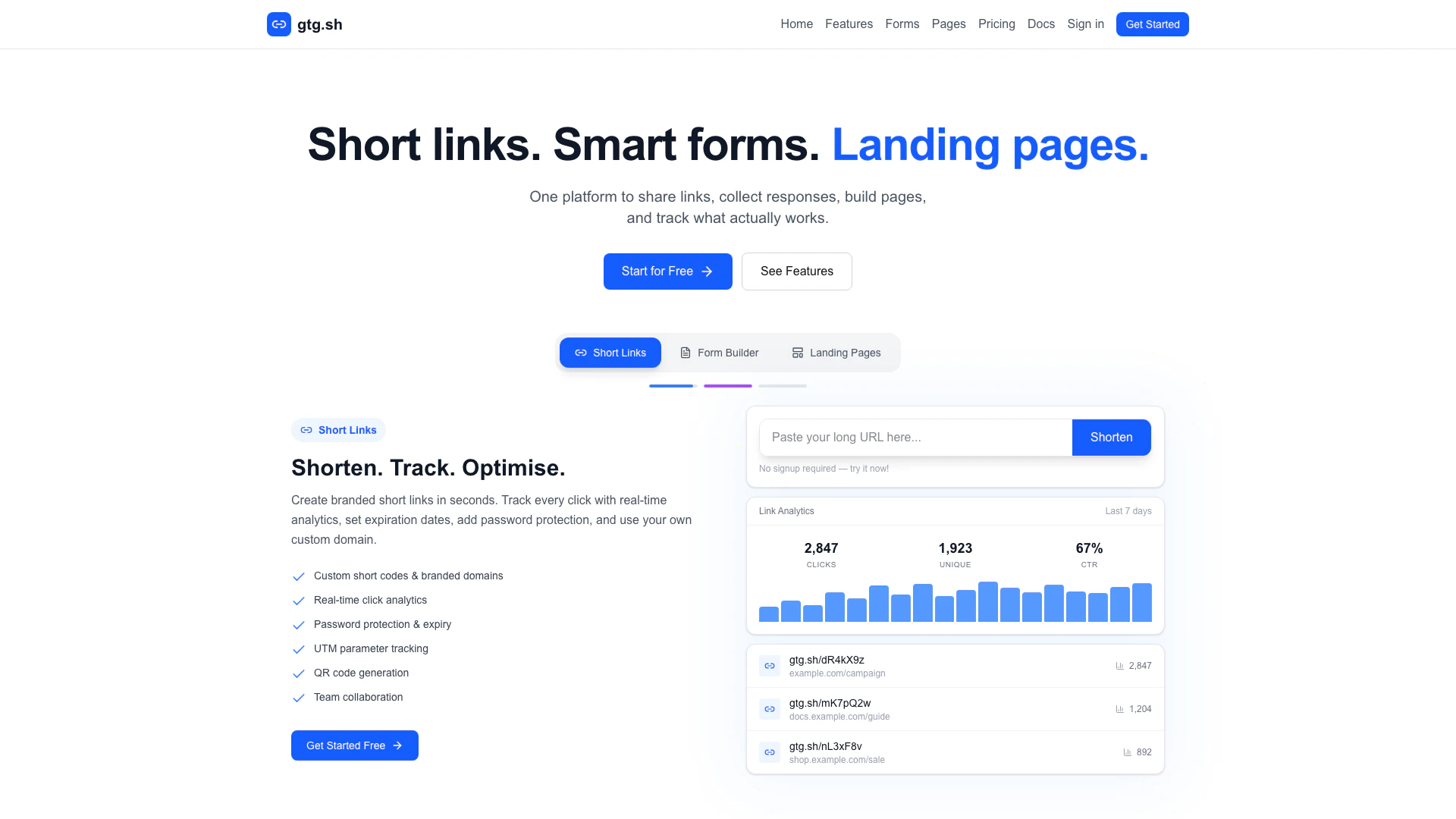
Gtg is an all-in-one platform that allows users to shorten links, build forms, and track performance metrics seamlessly. It provides a free link shortener with click analytics, custom domains, a drag-and-drop form builder, and team collaboration features. With Gtg, users can create branded short links, analyze click data in real-time, and create forms without any coding skills, making it ideal for marketers, small businesses, and content creators.
How to use Gtg?
- Visit the Gtg website at https://gtg.sh/ and sign up for a free account.
- To shorten a link, enter the URL you want to shorten in the provided field and click on 'Shorten'. You can customize the short code if desired.
- For creating forms, navigate to the form builder section, choose your field types, and drag them into the builder area to design your form.
- Use the analytics dashboard to track the performance of your links and forms, gaining insights on clicks, submissions, and user engagement.
What are the main features of Gtg?
- Link Shortening: Create branded short links with custom codes and domains.
- Real-time Analytics: Track clicks, locations, devices, and referrers.
- Form Builder: Drag-and-drop interface to create forms with over 20 field types.
- Spam Protection: Built-in features like CAPTCHA and rate limiting.
- Landing Pages: Build responsive landing pages with customizable themes.
- Team Collaboration: Manage links and forms collaboratively with team members.
Who is Gtg for?
Gtg is designed for a diverse range of users including marketers, small business owners, content creators, and teams looking to streamline their link management and data collection processes. It is particularly beneficial for those who need to track engagement metrics, build forms for surveys or lead generation, and create custom landing pages without needing extensive technical knowledge.
What are the use cases of Gtg?
- Marketing Campaigns: Use Gtg to shorten links for social media campaigns and track their performance with detailed analytics.
- Surveys and Feedback: Create forms to collect feedback from customers or conduct surveys to gather insights.
- Event Registration: Build landing pages for events, capturing registrations and attendee information through integrated forms.
Gtg Pros and Cons
Pros
- Comprehensive Link Management: Gtg offers a complete solution for shortening links, tracking clicks, and managing custom domains, making it easy to optimize link performance.
- User-Friendly Form Builder: The drag-and-drop form builder allows users to create complex forms without coding, featuring over 20 field types and conditional logic.
- Real-Time Analytics: Users can access detailed analytics in real-time, tracking clicks, locations, devices, and referrers to understand audience engagement.
Cons
No cons data detected for this tool
Gtg Pricing
Free
Perfect for personal use * 100 links * 5,000 clicks/month * 1 landing page * 1 form * Basic analytics * 7-day history * 100 form submissions/month
Pro
For professionals & teams * 500 links * 50,000 clicks/month * 1 custom domain * 5 landing pages * Password protection * Link expiration * Unlimited analytics history * 1,000 form submissions/month * White-label forms * Webhooks & API access * +$7/mo per additional user (same quota each)
For the latest pricing, please visit this link: https://gtg.sh/#pricing
Prices are subject to change. Please visit the official website for the most up-to-date pricing information.