Getsnapshots





What is Getsnapshots?
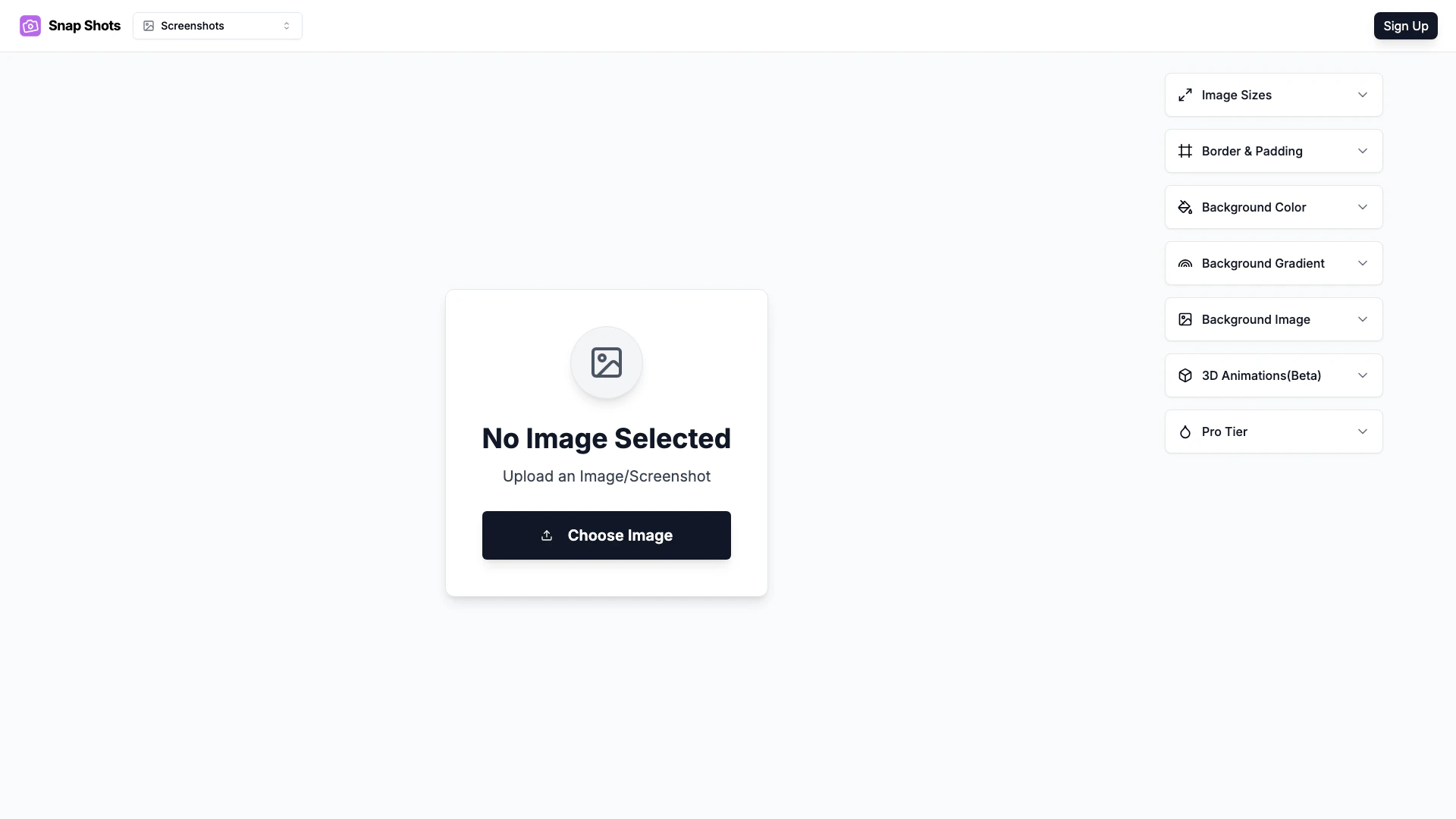
Getsnapshots is a free online image editor designed to enhance screenshots and create visually appealing mockups. This powerful tool allows users to add 3D effects, customize backgrounds, adjust padding, and modify aspect ratios effortlessly. It is particularly ideal for creating social media banners, Open Graph images, and product showcases, making it a versatile choice for marketers, designers, and anyone looking to improve their visual content.
How to use Getsnapshots?
- Visit the Getsnapshots website at https://www.getsnapshots.app/image-editor.
- Upload your screenshot or image that you want to enhance.
- Utilize the editing tools to add 3D effects, change the background, adjust padding, and set the desired aspect ratio.
- Preview your edits in real-time to ensure everything looks perfect.
- Once satisfied with your design, download the edited image for use in your projects.
What are the main features of Getsnapshots?
- Free online access to edit images and screenshots.
- Ability to add 3D effects for a more dynamic look.
- Customizable backgrounds to suit your design needs.
- Options to adjust padding for better layout and presentation.
- Capability to modify aspect ratios for different platforms and uses.
- User-friendly interface that simplifies the editing process.
Who is Getsnapshots for?
Getsnapshots is tailored for a diverse audience, including digital marketers, social media managers, graphic designers, and small business owners. It is perfect for anyone needing to create eye-catching visuals quickly and efficiently, especially for social media posts, product showcases, and promotional materials.
What are the use cases of Getsnapshots?
- Designing stunning social media banners that attract attention and engage audiences.
- Creating Open Graph images for improved sharing and visibility on social media platforms.
- Producing professional product showcases that highlight features and benefits effectively.
Product Images
Getsnapshots Pros and Cons
Pros
- User-Friendly Interface: The tool offers a simple and intuitive interface, making it easy for users to edit images quickly.
- Versatile Editing Features: Includes options for adding 3D effects, backgrounds, and padding, allowing for creative customization of screenshots.
- Free Access: Provides a free online platform for users to enhance their images without any cost.
Cons
No cons data detected for this tool
Getsnapshots Pricing
Pro Lifetime
One-time payment. Unlock professional power tools.
For the latest pricing, please visit this link: https://www.getsnapshots.app/#pricing
Prices are subject to change. Please visit the official website for the most up-to-date pricing information.
Analytics of Getsnapshots
Getsnapshots Website Traffic Analysis
Visits Over Time
Traffic Sources
Nov 2025 - Jan 2026 Worldwide Desktop Only
- Direct: 69.54%
- Search: 18.24%
- Referrals: 6.76%
- Social: 3.88%
- Paid Referrals: 1.03%
- Mail: 0.10%
Top Keywords
| Keyword | Volume | CPC | Estimated Value |
|---|---|---|---|
| affiliate payment screenshots | 260 | $0.00 | $0.00 |
| beautify screenshots | 180 | $0.00 | $0.00 |