

Getmockly




What is Getmockly?
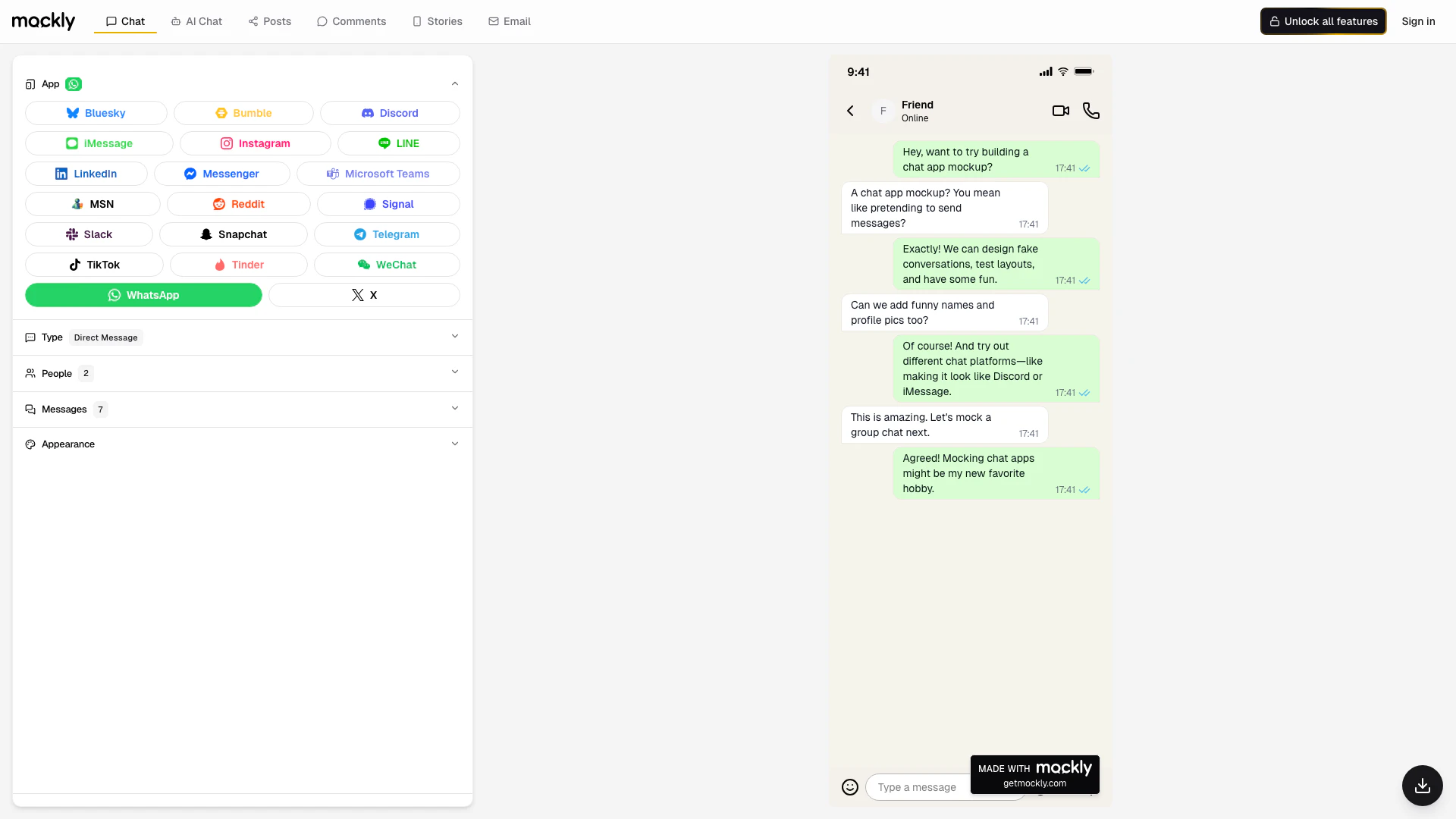
Getmockly is an innovative online tool that allows users to create realistic fake chat screenshots for popular messaging platforms such as WhatsApp, Instagram, and iMessage. This free online generator does not require any signup, making it easily accessible for users looking to enhance their marketing and content creation efforts. With Getmockly, users can design fake conversations, test layouts, and create engaging visuals without the hassle of complicated software.
How to use Getmockly?
- Visit the Getmockly website at www.getmockly.com.
- Choose the messaging platform you want to create a fake chat for (e.g., WhatsApp, Instagram).
- Use the provided editor to customize your chat by adding names, profile pictures, and messages.
- Adjust the settings as needed to make the chat appear realistic.
- Once satisfied, download or share your generated screenshot.
What are the main features of Getmockly?
- Create fake chat screenshots for multiple platforms including WhatsApp, Instagram, iMessage, and more.
- Free online generator with no signup required.
- User-friendly editor to customize chat appearances.
- Option to add funny names and profile pictures for a personalized touch.
- Ability to create both direct messages and group chats.
Who is Getmockly for?
Getmockly is designed for marketers, content creators, and social media enthusiasts who need to produce engaging and visually appealing chat screenshots. It is perfect for anyone looking to enhance their digital content, whether for advertising campaigns, social media posts, or creative storytelling. Additionally, it caters to individuals who enjoy creating mockups for fun or testing layouts.
What are the use cases of Getmockly?
- Marketing campaigns: Create realistic chat screenshots to promote products or services in a relatable way.
- Social media content: Enhance posts with engaging visuals that mimic real conversations.
- Creative storytelling: Use fake chats to illustrate narratives or scenarios in blogs and articles.
Product Images

Getmockly Pros and Cons
Pros
- Free Online Generator: Getmockly offers a free online tool to create fake chat screenshots without the need for signup, making it accessible for all users.
- Multiple Platform Support: The tool supports various chat platforms including WhatsApp, Instagram, iMessage, and more, allowing users to create diverse mockups.
- User-Friendly Interface: Getmockly features an intuitive interface that simplifies the process of designing fake conversations, enhancing user experience.
Cons
No cons data detected for this tool
Analytics of Getmockly
Getmockly Website Traffic Analysis
Visits Over Time
Traffic Sources
Nov 2025 - Jan 2026 Worldwide Desktop Only
- Direct: 37.78%
- Search: 32.45%
- Social: 18.90%
- Referrals: 9.60%
- Paid Referrals: 1.18%
- Mail: 0.07%
Top Keywords
| Keyword | Volume | CPC | Estimated Value |
|---|---|---|---|
| mockly | 10.30K | $2.75 | $3700.00 |
| getmockly | 740 | $0.00 | $510.00 |
| mockly instagram | 300 | $0.00 | $80.00 |
| fake x chat | 220 | $0.00 | $170.00 |
| mockly fake chats | 90 | $0.00 | $80.00 |




Getmockly Social Listening
Gemma 4 太猛了!谷歌最强开源模型,本地就能跑多模态(...
【更多资源】▶https://bittly.cc/lingd...
How to Use MANYCHAT for Beginn...
Manychat has revolutionized th...
STOP! Watch This Before You Bu...
I’ve used Manychat for the las...
Unlock to view 14 social media results.