Cronho





What is Cronho?
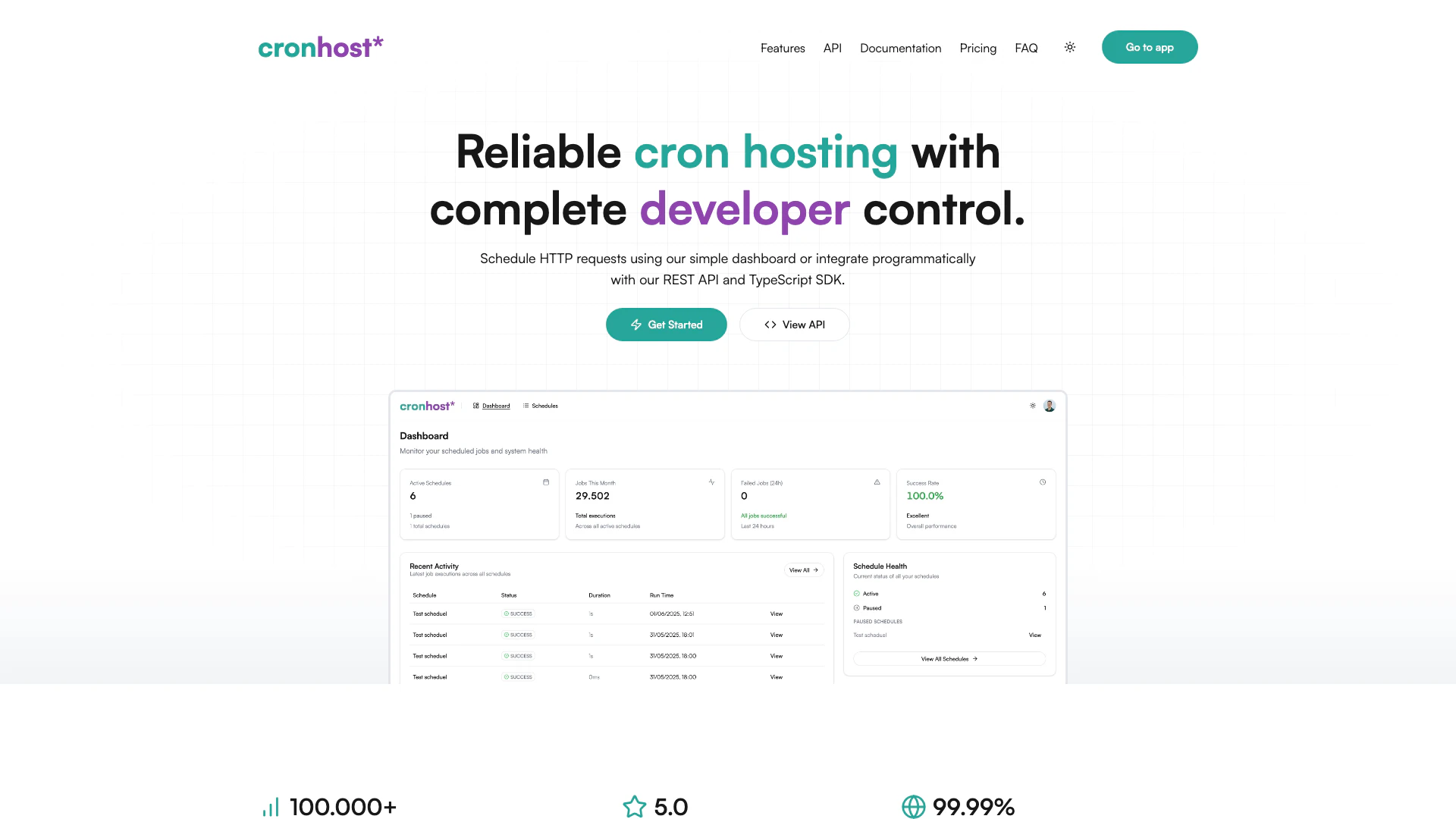
Cronho is a powerful and user-friendly cron scheduling tool designed to simplify the management of scheduled tasks for webhooks. It eliminates the complexities associated with traditional crontabs, offering a free, reliable solution that allows users to schedule HTTP requests easily. With an intuitive user interface, customizable requests, automatic retries, and insightful monitoring features, Cronho empowers developers and teams to manage their scheduled tasks efficiently and effectively.
How to use Cronho?
- Sign up for a free account on the Cronho website.
- Access the intuitive dashboard where you can create and manage your scheduled tasks.
- Choose your scheduling options, including the HTTP method, headers, and body for your requests.
- Use the familiar cron syntax to set the timing for your tasks.
- Monitor the performance of your scheduled jobs through detailed logs and metrics available in the dashboard.
What are the main features of Cronho?
- Simple and flexible scheduling with an intuitive web dashboard.
- Programmatic access via REST API and TypeScript SDK for advanced workflows.
- Support for standard cron expressions and global timezone configurations.
- Rock-solid reliability with customizable HTTP requests and automatic retries.
- Detailed execution logs and real-time monitoring for complete visibility and control.
Who is Cronho for?
Cronho is ideal for developers, teams, and businesses looking for an efficient way to manage scheduled tasks without the hassle of traditional crontab management. It is suitable for personal projects, growing applications, and production workflows that require reliable webhook triggering and task automation. Whether you are a solo developer or part of a larger team, Cronho provides the tools you need to streamline your scheduled tasks.
What are the use cases of Cronho?
- Automating routine tasks such as sending daily health check requests to APIs.
- Scheduling data synchronization between different systems at regular intervals.
- Triggering webhooks for event-driven architectures in applications.
Cronho Pros and Cons
Pros
- User-Friendly Interface: Cronho features an intuitive web dashboard that allows users to create and manage cron jobs easily, making it accessible even for those with minimal technical skills.
- Flexible Scheduling Options: Users can create cron jobs quickly using standard cron expressions and set any timezone, ensuring precise timing for their scheduled tasks.
- Robust Monitoring and Control: Cronho provides detailed execution logs and real-time monitoring, allowing users to track job health and performance metrics effectively.
Cons
No cons data detected for this tool
Cronho Pricing
Free
Perfect for personal projects and lightweight automations. Free includes: 3 active schedules, 5,000 executions per month, 5-minute minimum interval, Webhook scheduling, Customizable requests (method, headers, body), 7-day execution history, Community & email support.
Starter
For growing projects that need more schedules and speed. Everything in Free, plus: 20 active schedules, 100,000 executions per month, 1-minute intervals, 30-day execution history, Priority email support.
Pro
Built for production workflows and power users. Everything in Starter, plus: Unlimited schedules, 500,000 executions per month, 1-minute intervals, 90-day execution history, Priority execution handling, Advanced reliability features, Priority support.
Custom
For high-scale workflows, teams, and custom infrastructure needs. Everything in Pro, plus: Higher execution limits, High-frequency scheduling, Extended log retention, Team & multi-user access, Custom integrations, Priority onboarding & support, Dedicated infrastructure guidance.
For the latest pricing, please visit this link: https://cronho.st/#pricing
Prices are subject to change. Please visit the official website for the most up-to-date pricing information.