Castreader



What is CastReader?
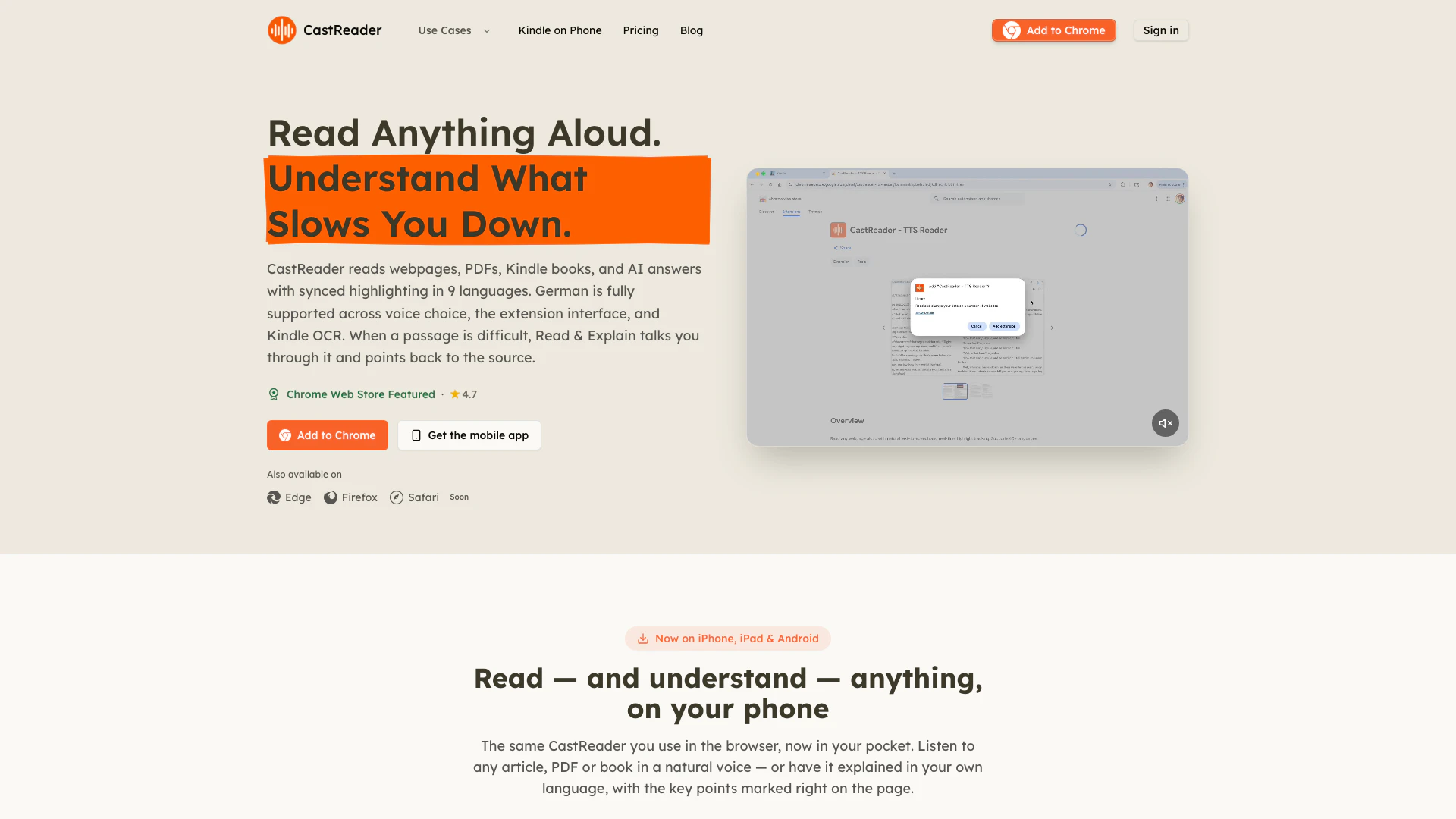
CastReader is an innovative AI-powered text-to-speech tool designed to enhance the reading experience by converting written content into natural-sounding audio. Available as a mobile app and browser extension, CastReader allows users to listen to articles, PDFs, and Kindle books, making reading accessible and convenient. With features like synchronized highlighting and the ability to explain complex text, CastReader caters to diverse audiences, including students, professionals, and language learners. Its core value lies in providing an effortless way to consume written content, enabling users to multitask while staying informed and engaged.
How to use CastReader?
- Download the App or Install the Extension: Start by downloading the CastReader app from the App Store or Google Play, or install the Chrome, Edge, or Firefox extension from their respective stores.
- Select Your Content: Open the article, PDF, or book you want to listen to. If you're using the app, you can also access your Kindle library directly.
- Use the Read Aloud Feature: Click on the 'Read This Page' option to initiate the reading. The tool will read the content aloud while highlighting each paragraph, helping you follow along.
- Utilize the Explain Feature: If you encounter difficult parts, select the 'Read & Explain' option, which provides spoken guidance while keeping the source visible with subtitles and pen marks for clarity.
- Adjust Settings as Needed: Customize the voice, speed, and language settings to enhance your listening experience based on your preferences.
What are the main features of CastReader?
- Text-to-Speech Functionality: CastReader converts any text from articles, PDFs, and books into natural-sounding speech, making it easy to listen on the go.
- Synchronized Highlighting: As the content is read aloud, the corresponding text is highlighted, allowing users to follow along effortlessly.
- Read & Explain Mode: This unique feature provides explanations for complex sections of text, enhancing comprehension and retention.
- Support for Multiple Platforms: CastReader works seamlessly across various platforms including Kindle, WeRead, O'Reilly, and many web pages, making it versatile for users.
- Mobile and Desktop Compatibility: Users can access CastReader via mobile apps for iOS and Android or through browser extensions, ensuring accessibility anywhere.
Who is CastReader for?
CastReader is designed for a wide range of users who seek to enhance their reading experience. It is particularly beneficial for students and researchers who want to absorb material efficiently while on the move. Professionals and executives can leverage the tool to stay updated on industry news and reports during their commutes. Additionally, individuals with learning differences such as dyslexia or ADHD will find the synchronized audio and visual features helpful in maintaining focus and reducing reading fatigue. Language learners can also utilize CastReader to improve their understanding of foreign texts in a more engaging manner.
What are the use cases of CastReader?
- Learning and Education: Students can listen to textbooks, lecture notes, and research papers while commuting or exercising, effectively utilizing their time.
- Accessibility for Dyslexia and ADHD: Individuals with reading difficulties can benefit from the audio paired with visual highlights, helping them focus and reduce fatigue.
- Busy Professionals: Executives can catch up on industry reports, newsletters, and long-form articles during their daily commute, transforming reading time into productive listening time.
- Language Learning: Users can read and understand texts in foreign languages, utilizing the Read & Explain feature to gain clarity in their preferred language.
- Audiobook Enthusiasts: Those who enjoy audiobooks can listen to their favorite Kindle books or articles in a podcast-like format, enhancing their reading experience.
Castreader Pros and Cons
Pros
- Natural Voice Reading: CastReader allows users to listen to articles, PDFs, and books in a natural voice, enhancing the reading experience.
- Quickread Feature: The Quickread feature explains complex texts in the user's preferred language while highlighting key points, making it easier to understand.
- Multi-Platform Availability: Available on multiple platforms including iPhone, Android, and web browsers, allowing for versatile usage.
Cons
- Learning Curve for New Users: Some features may require a learning curve for new users, particularly those unfamiliar with text-to-speech technology.
- Limited Free Tier Features: The free tier offers limited features compared to premium options, which may restrict advanced users.
Castreader Pricing
Free
Everything you need to start with 20 minutes of listening per day, standard AI voices up to 1.25× speed, 3 AI explains per day, and support for all sites including Kindle, WeChat Read, PDF, and ChatGPT. You can also upload your own PDF, Word, or TXT files.
Pro
Built for heavy readers with no daily cap on listening hours, full access to ebooks and long PDFs, more premium AI voices up to 3× speed, and no daily limit on AI explains.
Pro Yearly
Best value plan that saves 40%, providing all Pro features for a yearly billing cycle.
For the latest pricing, please visit this link: https://castreader.com/pricing
Prices are subject to change. Please visit the official website for the most up-to-date pricing information.