

Canirunai




What is Canirunai?
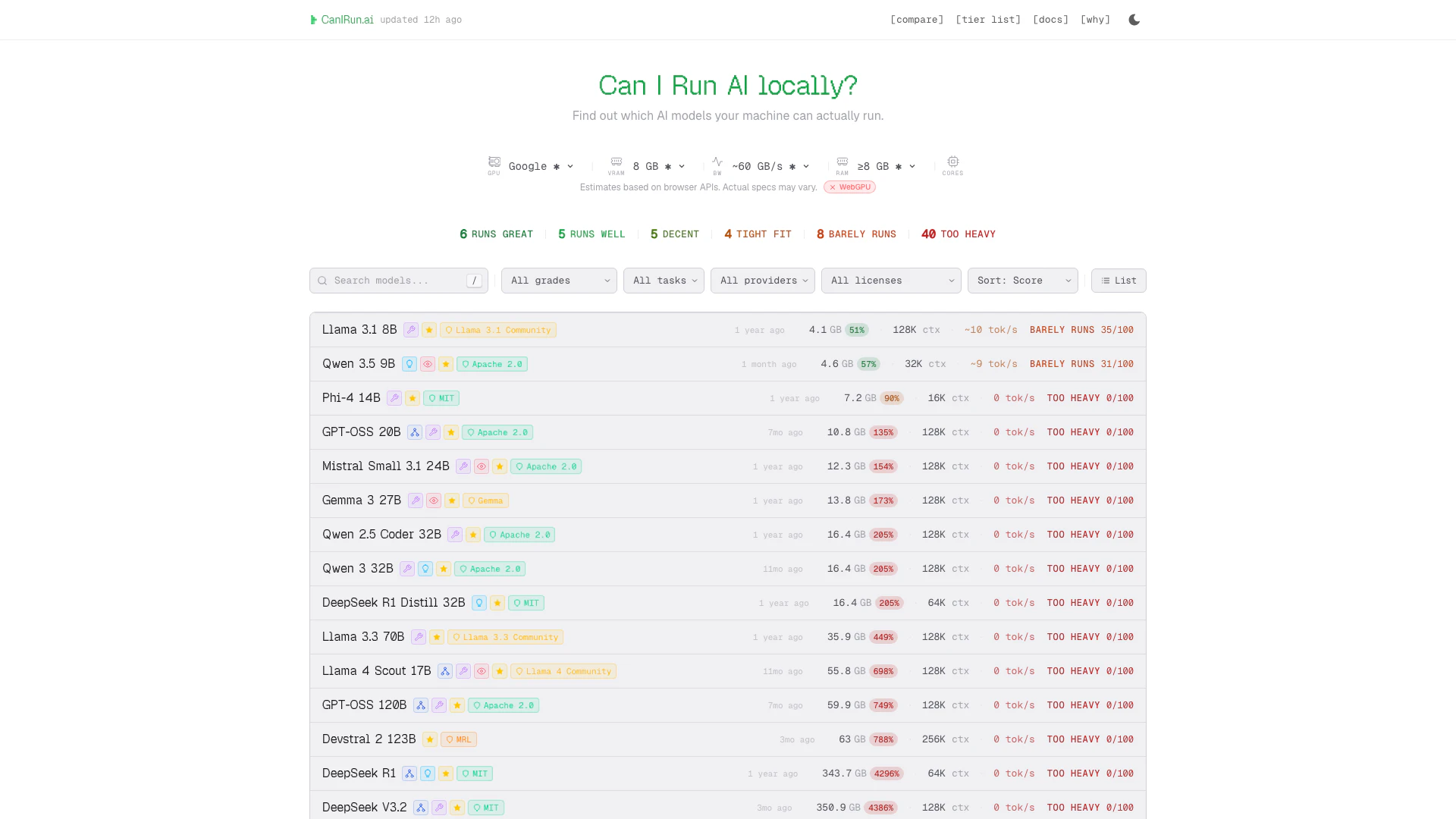
Canirunai is an innovative web-based tool designed to help users determine which AI models can be run locally on their hardware. By analyzing the specifications of your GPU, CPU, and RAM directly in your browser, Canirunai provides insights into the performance capabilities of your machine. This allows users to effectively gauge the compatibility of various AI models with their local setup, ensuring optimal performance for tasks such as machine learning, data processing, and AI-driven applications.
How to use Canirunai?
To use Canirunai, follow these steps: 1. Visit the Canirunai website at https://www.canirun.ai/. 2. Allow the tool to detect your hardware specifications, including GPU, CPU, and RAM. 3. Review the results displayed on the screen, which will indicate which AI models are suitable for your system based on its specifications.
What are the main features of Canirunai?
Canirunai offers several key features: - Hardware Detection: Automatically detects your system's GPU, CPU, and RAM. - AI Model Compatibility: Provides a list of AI models that can run on your hardware, along with performance ratings. - Performance Estimates: Displays estimated performance metrics based on your hardware capabilities. - User-Friendly Interface: Simple and intuitive interface for easy navigation and understanding.
Who is Canirunai for?
Canirunai is designed for a diverse audience, including AI enthusiasts, developers, data scientists, and researchers who are interested in running AI models locally. Whether you are a hobbyist looking to experiment with AI or a professional seeking to optimize your hardware for machine learning tasks, Canirunai provides valuable insights into your system's capabilities. It is particularly useful for those who want to ensure that their hardware is suitable for demanding AI applications.
What are the use cases of Canirunai?
Canirunai can be utilized in various scenarios, including: 1. Model Selection: Helping users choose the right AI models based on their hardware specifications for optimal performance. 2. System Upgrades: Assisting users in understanding whether they need to upgrade their hardware to run specific AI models effectively. 3. Local AI Development: Enabling developers to test and run AI models locally, enhancing their workflow and reducing reliance on cloud services.
Canirunai Pros and Cons
Pros
- Hardware Detection Capability: Canirunai effectively detects hardware specifications including GPU, CPU, and RAM, allowing users to understand their system's capabilities.
- Local AI Model Compatibility: The tool helps users identify which AI models can run locally on their hardware, enhancing the usability of AI applications.
- Browser-Based Analysis: Being browser-based, Canirunai provides quick and accessible hardware analysis without the need for additional software installations.
Cons
No cons data detected for this tool




