Browserwire





What is Browserwire?
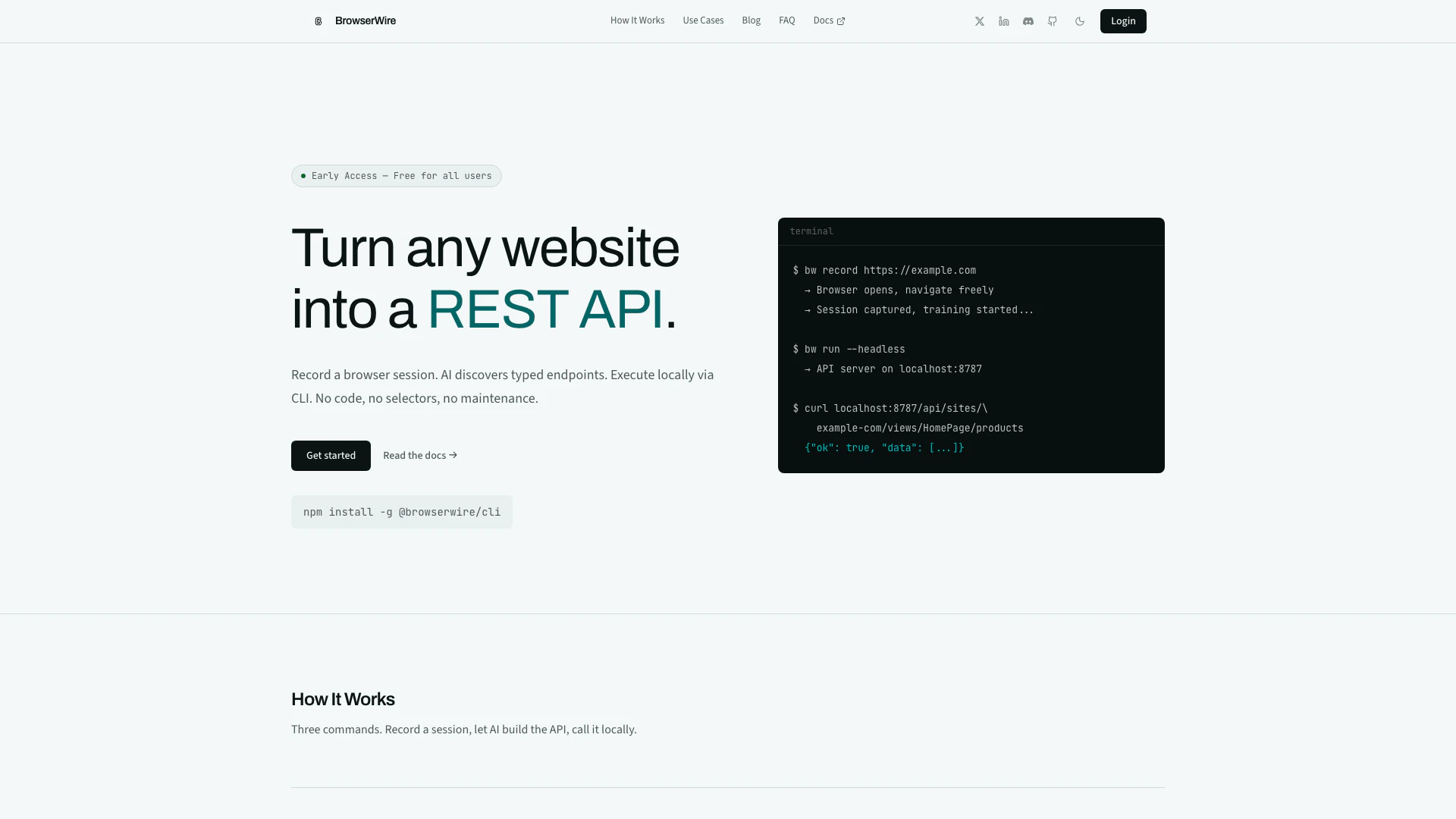
Browserwire is an innovative tool designed to transform any website into a deterministic, typed, and safe API for AI agents. By eliminating the need for raw DOM access, Browserwire allows users to build reliable agentic workflows effortlessly. It leverages machine learning to capture and analyze browser sessions, creating a structured API that facilitates seamless interaction with web applications. This tool is particularly beneficial for developers who require programmatic access to websites that lack proper APIs or whose existing APIs do not meet their specific needs.
How to use Browserwire?
- Install the Browserwire CLI by running `npm install -g @browserwire/cli` in your terminal.
- Record a session by executing the command `bw record https://example.com`, where you can navigate the website freely while Browserwire captures your interactions.
- Allow the AI to analyze your recorded session, which will take about 1–2 minutes to generate a typed state machine comprising distinct pages and workflows.
- Start a local API server using `bw run --headless --port 8787`, which exposes the captured data as REST endpoints for easy access.
What are the main features of Browserwire?
- Machine Learning-Powered Discovery: Browserwire uses a vision-capable LLM to analyze recorded sessions and generate a typed state machine, including pages and workflows.
- Local API Execution: The API server runs locally, ensuring that every action is executed in a real browser on your machine, keeping your data secure.
- No Code Required: Users can create APIs without writing any code, making it accessible for developers of all skill levels.
- Comprehensive Coverage: Supports various website architectures including SPAs, server-rendered pages, and authenticated flows, allowing for versatile application.
Who is Browserwire for?
Browserwire is primarily targeted at developers and technical teams who need programmatic access to websites that either lack APIs or have limited API functionality. It is particularly useful for those working in fields such as web automation, data extraction, and AI agent integration. Additionally, it serves individuals and organizations looking to streamline their workflows on complex web applications, enabling them to automate tasks that would typically require extensive coding.
What are the use cases of Browserwire?
- Website Automation: Automate interactions on websites without APIs, such as logging into SaaS tools, submitting forms, and triggering multi-step processes through typed REST calls.
- Data Extraction: Extract structured JSON data from any web page without writing selectors, allowing for easy data manipulation and analysis.
- AI Agent Integration: Feed the generated API manifest to AI agents, enabling them to interact with web applications intelligently by selecting the appropriate endpoints and passing structured parameters.
Browserwire Pros and Cons
Pros
- No Code Required: BrowserWire allows users to create APIs without writing any code, making it accessible for non-developers.
- Local Data Execution: All API calls are executed locally in a real browser, ensuring that sensitive data never leaves the user's machine.
- AI-Powered Automation: The tool uses AI to analyze recorded sessions and automatically generate typed APIs, simplifying the process of web automation.
Cons
No cons data detected for this tool
Browserwire Pricing
Free Plan
BrowserWire is in early access. All features are currently free with no limits.
For the latest pricing, please visit this link: https://browserwire.io/pricing
Prices are subject to change. Please visit the official website for the most up-to-date pricing information.