

Twitter-color Created with Sketch. Amazon-color Created with Sketch. Facebook-color Created with Sketch. github [#142] Created with Sketch. meta_fill Pinterest-color Created with Sketch. ProductHunt-color Created with Sketch. Spotify-color Created with Sketch. Threads Logo Streamline Icon: https://streamlinehq.com Yelp-color Created with Sketch. Youtube-color Created with Sketch.
TopAIToolsTopAITools
  • Free Tools
  • Category
  • Leaderboard
  • Deals
  • Submit
EN
TopAIToolsTopAITools
TopAI

TopAITools

TopAITools, The Best Top AI Tools

AI Glossary|English简体中文繁體中文한국어日本語PortuguêsEspañolDeutschFrançaisTiếng Việt|Map

© 2026 TopAITools. All rights reserved.

About

  • Privacy Policy
  • Terms of use

Contact Us

business@topaitoolsreview.com
Home
Ai Code Assistant
Ara
Last updated: June 10, 2026
Ara logo

Ara

Get deal
4.0|0 Comments|0 Saved
Introduction:
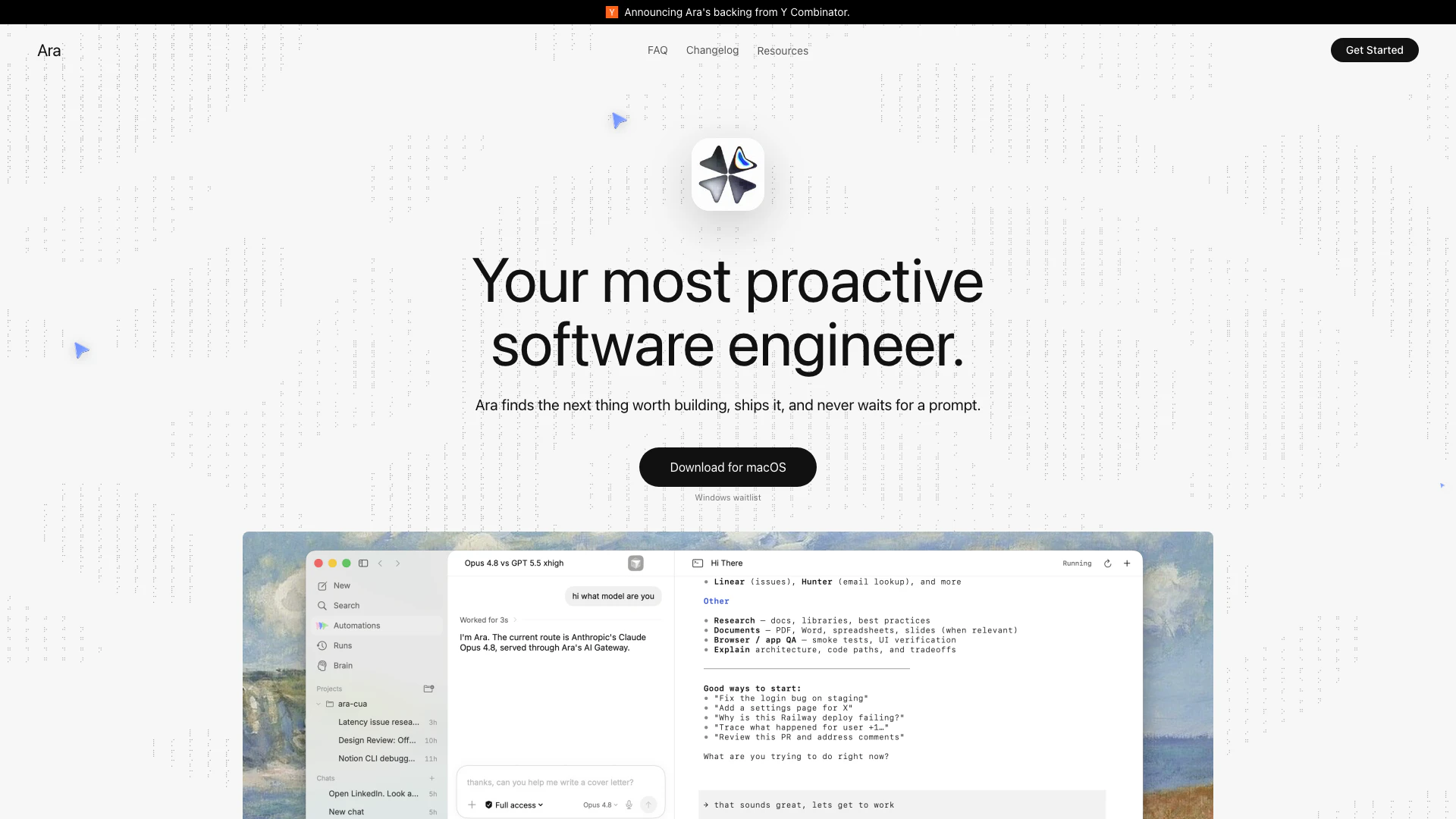
Ara is your most proactive software engineer, finding and implementing improvements to your product and codebase autonomously.
Launch Date:
November 26, 2025
Social links:
Monthly Visits:
--
Inputs:
Code
Outputs:
Code
Website
🎨Creativity
Ai Code Assistant46AI Development Tools421Developer Productivity Tools182
Ara website screenshot showing Ara is your most proactive software engi... interface and features
Use tool
Update this tool
Microsoft logo

Microsoft

Easily create and edit high-quality videos with Clipchamp.

Linkedin logo

Linkedin

Connect with professionals worldwide on LinkedIn.

Gemini logo

Gemini

Discover Gemini, Google's versatile AI assistant for writing and planning.

Deepseek logo

Deepseek

DeepSeek focuses on pioneering general AI technologies and models.

Deepl logo

Deepl

Translate texts & full document files instantly. Accurate translations for individuals and Teams. Millions translate with DeepL every day.

Ara Overview

What is Ara?

Ara is an innovative software tool designed to function as a proactive software engineer. It autonomously identifies the next improvements needed for your product and codebase, implements those changes, learns the methods as skills, and continuously initiates the next improvement cycle. With its self-driving capabilities, Ara streamlines the development process by ensuring that enhancements are consistently delivered without the need for manual prompts.


How to use Ara?

  1. Download and Install: Visit the Ara website and download the application for macOS. Follow the installation instructions to set it up on your device.
  2. Connect to Your Codebase: Launch Ara and connect it to your existing codebase. This allows Ara to analyze your project and understand where improvements can be made.
  3. Monitor Improvements: Use the mission control feature to oversee Ara's autonomous improvement cycles. Ara will identify, implement, and learn from each change it makes, keeping you informed throughout the process.

What are the main features of Ara?

  • Proactive Improvement Loop: Ara continuously finds and ships enhancements to your product without waiting for prompts.
  • Self-Driving IDE: Operates autonomously, editing files, driving browsers, and managing terminal commands to implement changes.
  • Learning Mechanism: Each improvement adds to Ara's skill set, making future enhancements more efficient.
  • Mission Control: Provides visibility into all active loops, allowing you to supervise multiple agents and their activities across various platforms.
  • Integration with Tools: Ara integrates with popular development tools, enhancing its functionality and ease of use.

Who is Ara for?

Ara is designed for software developers, product managers, and tech teams looking to streamline their development processes. It is particularly beneficial for organizations that require constant improvements to their codebases and products without the overhead of manual intervention. Ara is ideal for teams in fast-paced environments, such as startups and tech giants, where efficiency and speed of development are crucial.


What are the use cases of Ara?

  1. Continuous Integration: Utilize Ara to automate the process of integrating code changes into the main codebase, ensuring that updates are consistently delivered.
  2. Feature Development: Leverage Ara's capabilities to identify and implement new features based on user feedback and market demands.
  3. Bug Fixing: Allow Ara to autonomously detect and fix bugs in the codebase, improving software reliability and user experience.

Ara Pros and Cons

Pros

  • Proactive Improvement Loop: Ara continuously identifies and implements improvements in your product and codebase without waiting for prompts, ensuring ongoing progress.
  • End-to-End Automation: Ara automates the entire process of making changes, from editing files to opening pull requests, which enhances efficiency and reduces manual effort.
  • Learning and Memory Features: With its ability to remember past changes and learn from them, Ara becomes more effective over time, refining its approach to improvements.

Cons

No cons data detected for this tool

Ara Pricing

Free Plan

Contact Us

Access to basic features of Ara for free.

For the latest pricing, please visit this link: https://ara.so/pricing

Prices are subject to change. Please visit the official website for the most up-to-date pricing information.

Ara Compare

Tool NameIntroductionPricing
Type
RatingLaunch DateLearn more
Characterlingo logo
Characterlingo
Character Lingo
Free
🙋‍♂️Personal🎨Creativity
May 6, 2023
Get deal
Shulex Copilot logo
Shulex Copilot
Shulex Copilot ChatGPT E-commerce Tool & Sidebar - Shulex VOC
Free
💼Work🎨Creativity
December 15, 2017
Get deal
Autodraw logo
Autodraw
AutoDraw
Free
🎨Creativity
January 2, 1998
Get deal

Info current as of post date. Offers and availability may vary by location and are subject to change.

Ara Q&A

Ara is your most proactive software engineer. It finds the next useful improvement, runs across files, browser, terminal, and review surfaces to ship it, learns the method as a skill, and brings the result back for you to approve. It works in a loop, so each run leaves your codebase a little better.

Ara Launch embeds

Use website badges to drive support from your community for your TopAITools Review. They're easy to embed on your homepage or footer.

FEATURED ONTopaitoolsreview.com

Ara Alternatives

Deepseek screenshot

Deepseek

DeepSeek focuses on pioneering general AI technologies and models.

Website
Free
💼Work🎨Creativity
OtherLarge Language Models (LLMs)AI Development ToolsAi Model Fine Tuning Tools
  • Other
  • Large Language Models (LLMs)
  • AI Development Tools
  • Ai Model Fine Tuning Tools
Use tool
328.9M
Direct72.66%
Search24.59%
Referrals2.09%
Deepseek V4 screenshot

Deepseek V4

Explore cutting-edge AI models with Deepseek.

Website
Free
💼Work🎨Creativity
Developer ToolsAI Development ToolsAi Model Fine Tuning ToolsAI Cloud Computing Platforms
  • Developer Tools
  • AI Development Tools
  • Ai Model Fine Tuning Tools
  • AI Cloud Computing Platforms
Use tool
298.3M
Direct72.09%
Search25.36%
Referrals1.91%
Openai Codex screenshot

Openai Codex

OpenAI Codex enhances coding efficiency with AI-driven task support.

Website
Free
💼Work🎨Creativity
Developer ToolsAI Coding AssistantsAI Development ToolsAI Prompt Engineering Tools
  • Developer Tools
  • AI Coding Assistants
  • AI Development Tools
  • AI Prompt Engineering Tools
Use tool
225.0M
Search52.42%
Direct37.63%
Referrals9.11%

Also used for

Ai Code Assistant46AI Development Tools421Developer Productivity Tools182SQL AI Tools9AI SEO Content Generator9Startup AI Assistant14AI Store Management3AI Coding Assistants138Ai Model Fine Tuning Tools37Low Code Ai Development Platforms110AI Training Resource Management6Test Management Tools22Quality Assurance Tools57AI Personalization Tools6Capacitor App Development Tools6
Ara logo
AraFree
Get deal

Ara Comments (0)

Your rating

?
0/2000

No comments yet

Be the first to share your thoughts!

Ara Prompts (0)

Prompts And Results

Add your own prompts and outputs to help others understand how to use this AI.

🚀0
🚀0



