Last updated:

Addgradient
Introduction:
Enhance your images with gradient padding.
Launch Date:
Social links:
Monthly Visits:
--
Inputs:
Outputs:
Supported Languages:
EN
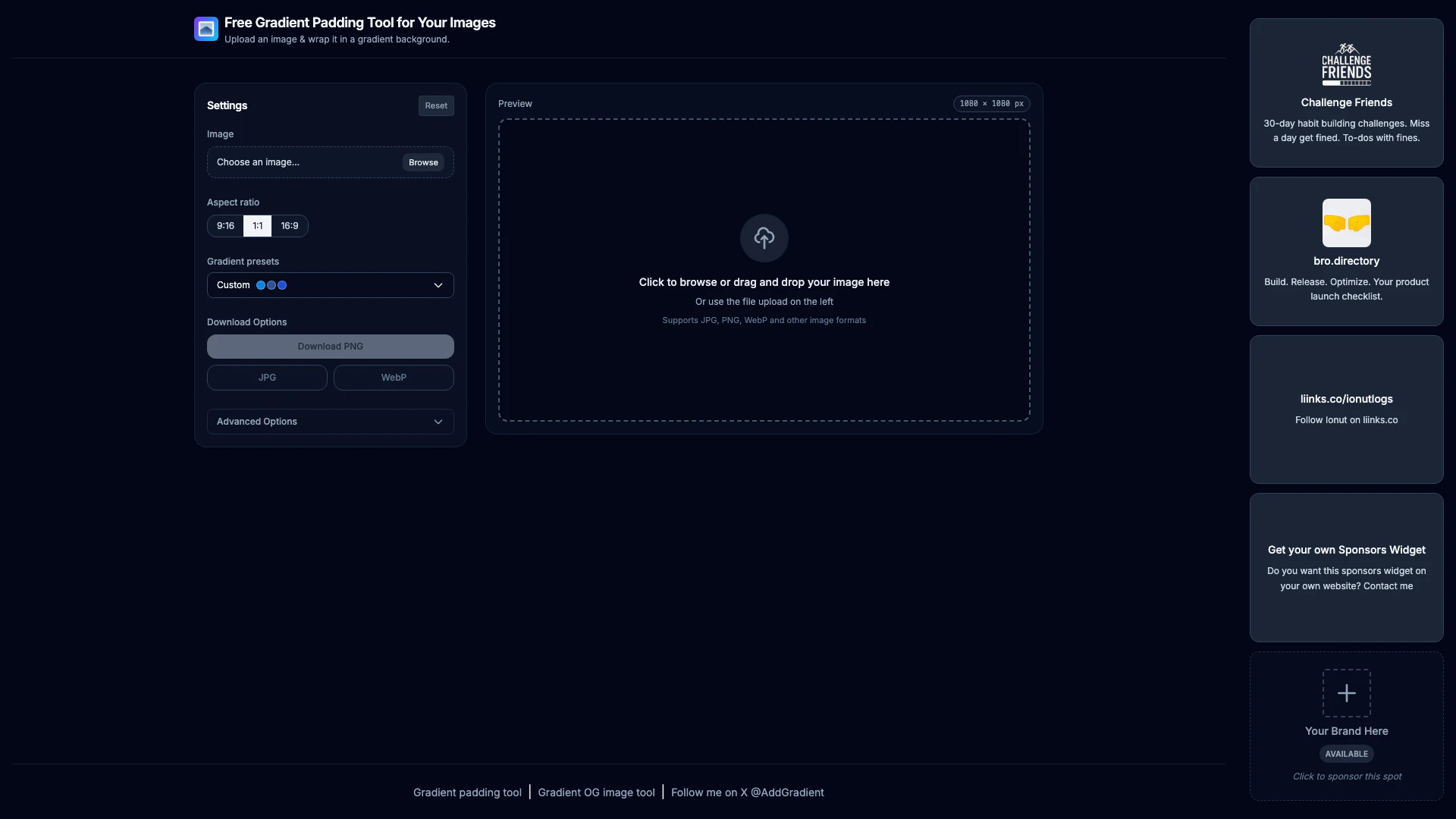




Addgradient Overview
What is Addgradient?
Addgradient is a free online tool designed to enhance your images by adding gradient padding. This tool allows users to upload images and wrap them in a visually appealing gradient background, making it perfect for social media, websites, and presentations. With a variety of preset gradients and customization options, Addgradient helps users elevate their visuals effortlessly.
How to use Addgradient?
- Visit the Addgradient website at https://addgradient.com/.
- Click on 'Choose an image' to upload your desired image.
- Select an aspect ratio from the options provided.
- Choose a gradient preset from the list or create a custom gradient.
- Preview your image with the gradient padding applied.
- Click 'Download' to save your image in your preferred format (PNG, JPG, or WebP).
What are the main features of Addgradient?
- Gradient Padding: Add beautiful gradient backgrounds to your images.
- Multiple Gradient Presets: Choose from a wide variety of pre-designed gradients.
- Custom Gradient Creation: Create your own unique gradient by adjusting colors and styles.
- Multiple Image Formats Supported: Upload and download images in JPG, PNG, and WebP formats.
- User-Friendly Interface: Simple and intuitive design for easy navigation and usage.
Who is Addgradient for?
Addgradient is ideal for anyone looking to enhance their visual content. This includes social media marketers, graphic designers, bloggers, and small business owners who want to make their images more appealing. Additionally, educators and students can use this tool to create engaging presentations and educational materials.
What are the use cases of Addgradient?
- Social Media Posts: Enhance images for platforms like Instagram and Facebook to attract more engagement.
- Website Graphics: Use gradient padding to improve the visual appeal of images on blogs or business websites.
- Presentations: Create stunning visuals for slideshows that capture the audience's attention.
Product Images

Addgradient Pros and Cons
Pros
- User-Friendly Interface: The tool features an intuitive interface that allows users to easily upload images and apply gradient padding without any technical skills.
- Variety of Gradient Options: Addgradient offers a wide range of gradient presets, allowing users to choose from numerous styles to enhance their images.
- Multiple Download Formats: Users can download their images in various formats including PNG, JPG, and WebP, providing flexibility for different use cases.
Cons
No cons data detected for this tool