Termwatch





What is Termwatch?
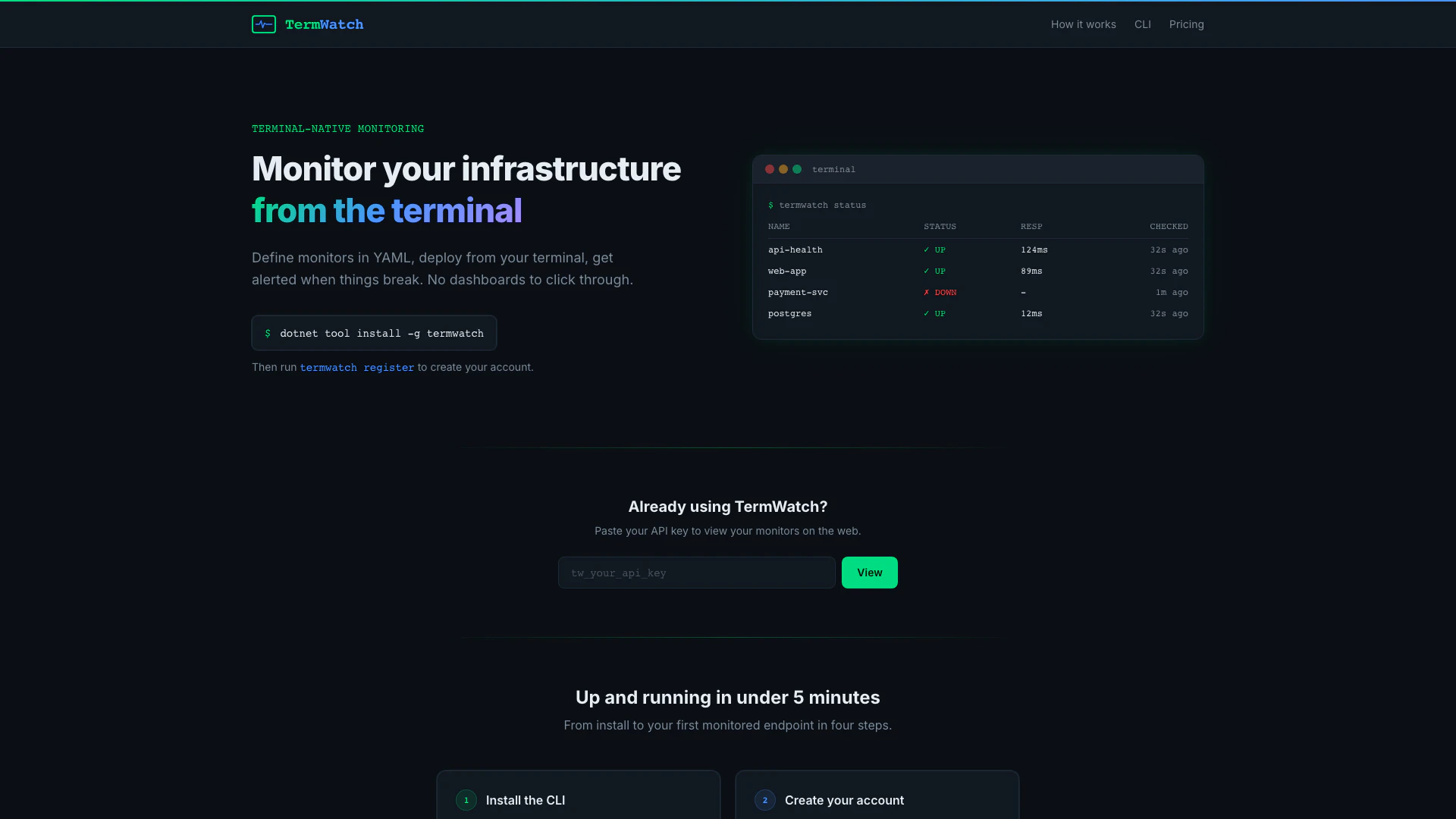
Termwatch is a terminal-native monitoring tool designed for developers and DevOps teams to oversee their infrastructure directly from the command line. By allowing users to define monitors in YAML format, Termwatch simplifies the monitoring process, enabling users to deploy configurations from their CLI and receive alerts through platforms like Slack, Discord, or email when any monitored service goes down. This tool eliminates the need for complex dashboards, providing a straightforward, code-centric approach to infrastructure monitoring.
How to use Termwatch?
- Install the CLI: Begin by installing Termwatch globally on your machine using the command: `$ dotnet tool install -g termwatch`.
- Create your account: Register with your email to obtain an API key by executing: `$ termwatch register`.
- Configure monitors: Generate a YAML template for your monitors using: `$ termwatch init` and define the endpoints you want to monitor.
- Deploy to cloud: Finally, push your configuration to start monitoring by running: `$ termwatch deploy`. Your checks will commence immediately.
What are the main features of Termwatch?
- Terminal-native monitoring: Manage your monitoring setup entirely from the terminal without needing a web UI.
- YAML configuration: Define monitors in a simple YAML file, allowing for version control alongside your application code.
- Multi-protocol support: Monitor HTTP, HTTPS, and TCP endpoints.
- Customizable checks: Set expected status codes and response content matching, along with configurable check intervals and timeouts.
- Alerts: Receive notifications through Slack, Discord, or email when issues are detected.
Who is Termwatch for?
Termwatch is ideal for developers, DevOps engineers, and IT professionals who prefer a code-centric approach to monitoring their infrastructure. It caters to teams looking for a straightforward monitoring solution without the overhead of complex dashboards. Whether you are managing a small project or a large-scale production environment, Termwatch provides the flexibility and efficiency needed to ensure your applications remain operational.
What are the use cases of Termwatch?
- Production application monitoring: Use Termwatch to keep track of critical production services, ensuring they are operational and alerting the team if they go down.
- Development and testing environments: Monitor development servers or staging environments to catch issues early before they reach production.
- Infrastructure health checks: Regularly check the health of various infrastructure components like APIs, databases, and web applications to maintain performance and reliability.
Termwatch Pros and Cons
Pros
- Terminal-Native Monitoring: Monitor your infrastructure directly from the terminal without the need for a web interface, allowing for a streamlined experience.
- YAML Configuration: Define monitors in a simple YAML file, enabling version control and easy management alongside application code.
- Flexible Alerting Options: Get alerted through multiple channels including Slack, Discord, and email, ensuring you stay informed about your infrastructure status.
- Quick Setup: Get up and running in under 5 minutes with a straightforward installation and configuration process.
Cons
No cons data detected for this tool
Termwatch Pricing
STARTER
Try the full CLI workflow with up to 3 monitors. ✓3 monitors ✓5-minute checks ✓24-hour history ✓Slack, Discord & email alerts
TEAM
For teams monitoring production applications. ✓50 monitors ✓1-minute checks ✓30-day history ✓Slack, Discord & email alerts
PRO
Unlimited monitoring for production-critical apps. ✓Unlimited monitors ✓30-second checks ✓90-day history ✓Slack, Discord & email alerts
For the latest pricing, please visit this link: https://termwatch.dev/#pricing
Prices are subject to change. Please visit the official website for the most up-to-date pricing information.