Moniesbot





What is Moniesbot?
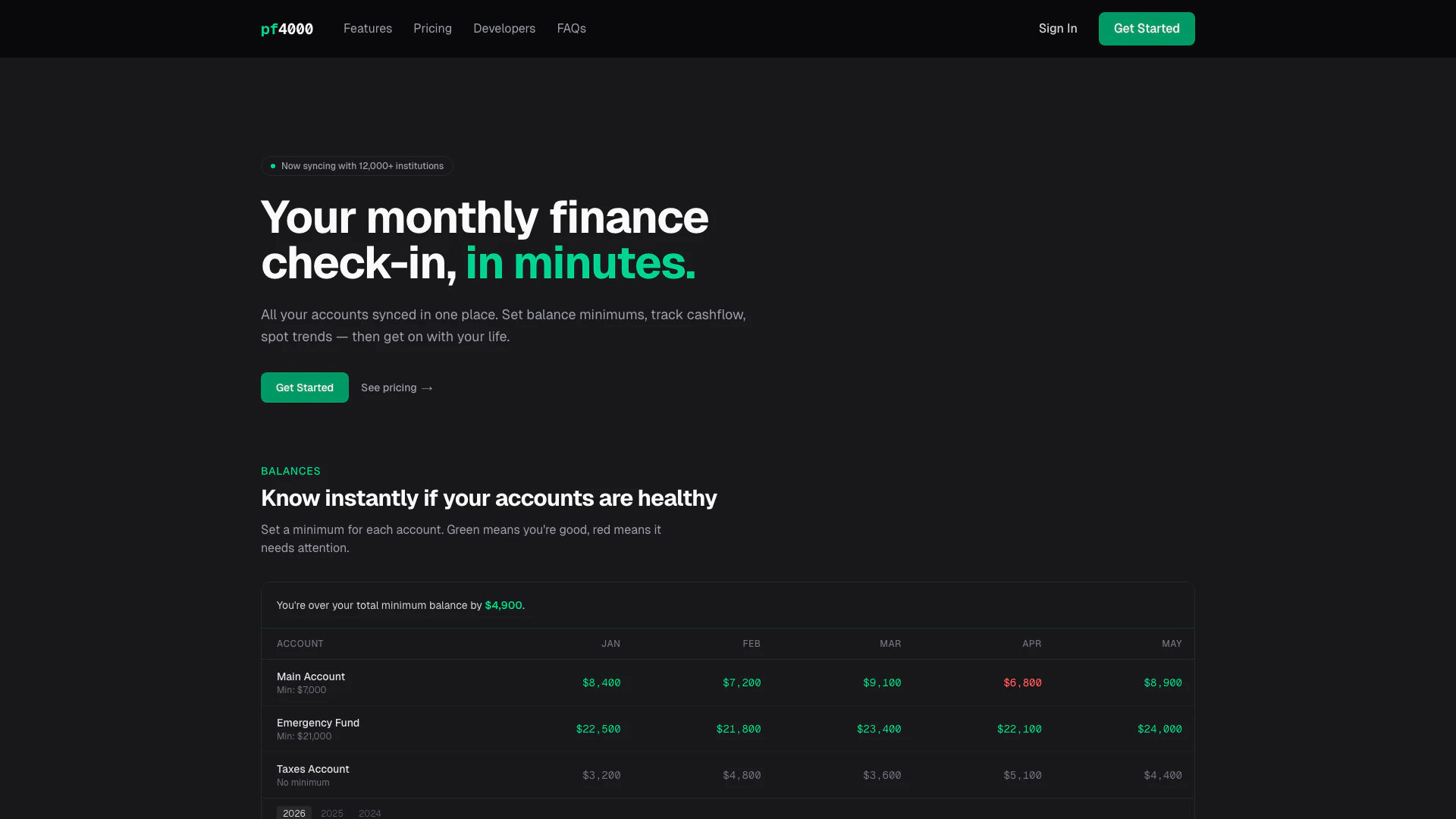
Moniesbot is a powerful financial management[1] tool that allows users to consolidate all their financial accounts in one place, providing a comprehensive overview of their financial health. With a focus on simplifying monthly finance check-ins, Moniesbot enables users to track their cash flow, set balance minimums, and identify spending trends, all within a user-friendly interface. By syncing with over 12,000 financial institutions, it ensures that users have up-to-date information at their fingertips, making it easier to manage finances efficiently.
How to use Moniesbot?
- Sign up for an account on the Moniesbot website and choose a pricing plan that suits your needs.
- Connect your financial accounts by using the secure Plaid integration, which allows you to sync with over 12,000 institutions.
- Set balance minimums for each account to monitor your financial health. The interface will show green for healthy accounts and red for those needing attention.
- Use the cash flow tracking[4] feature to analyze your income and expenses, identifying trends and areas for improvement.
- Review your monthly reports[5] to stay informed about your financial status and make necessary adjustments.
What are the main features of Moniesbot?
- Account Aggregation[2]: Sync all your financial accounts in one place for a complete overview.
- Balance Monitoring[3]: Set minimum balance alerts for each account to ensure financial health.
- Cash Flow Tracking: Analyze income versus expenses to spot trends and make informed decisions.
- Monthly Reports: Receive detailed monthly reports summarizing your financial activity.
- Secure Data Handling: Utilizes Plaid for secure account connections without storing sensitive information.
Who is Moniesbot for?
Moniesbot is designed for individuals and households looking to simplify their financial management. It is particularly beneficial for those who want to track multiple accounts, including personal, joint, and investment accounts, without the hassle of managing each account separately. This tool is ideal for anyone who wishes to gain insights into their spending habits, set financial goals, and maintain a healthy financial status with ease.
What are the use cases of Moniesbot?
- Personal Finance Management: Individuals can use Moniesbot to track their spending, income, and savings, ensuring they stay within budget.
- Joint Account Tracking: Couples can connect their shared accounts and monitor their collective financial health, making it easier to manage household finances.
- Investment Monitoring: Users can link their investment accounts to keep an eye on their portfolios and make informed investment decisions based on performance trends.
Moniesbot Pros and Cons
Pros
- Comprehensive Account Management: Moniesbot allows users to sync over 12,000 financial institutions, providing a centralized view of all accounts.
- Automated Financial Tracking: Users can set balance minimums and track cash flow automatically, making monthly finance check-ins quick and easy.
- Flexible Pricing Plans: Moniesbot offers simple pricing with options for both personal and advanced users, catering to different financial management needs.
Cons
No cons data detected for this tool
Moniesbot Pricing
Starter
Perfect for personal finance tracking. Connect up to 5 accounts, receive monthly email reports, track bank balances, analyze transactions, and export data as CSV.
Pro
For serious wealth builders. Unlimited account connections, daily email reports, advanced analytics & forecasting, custom account tags, manual transaction entry, and priority support.
For the latest pricing, please visit this link: https://www.pf4000.com/#pricing
Prices are subject to change. Please visit the official website for the most up-to-date pricing information.