

Locus





What is Locus?
Locus is an innovative AI-powered search tool designed to enhance productivity by reimagining traditional search methods. It allows users to quickly find information on any web page using natural language, significantly improving the efficiency of research and information retrieval. Unlike conventional search methods, Locus understands user queries and locates relevant sections within long documents, articles, and PDFs, enabling a more intuitive and effective search experience.
How to use Locus?
- Install the Locus extension from the Chrome Web Store or sign up on the Locus website.
- Open any web page or PDF document that you want to search through.
- Use the keyboard shortcut Ctrl + F (or ⌘ on OSX) to activate Locus.
- Enter your query in natural language; Locus will process your request and display the relevant sections instantly.
- Utilize additional features like summarization, note cards, and AI assistance to enhance your research experience.
What are the main features of Locus?
- Natural Language Search: Enables users to search using everyday language rather than exact keywords.
- AI-Powered Summarization: Quickly summarizes entire pages or sections to provide a TLDR version.
- PDF Search Capability: Allows searching through PDFs, making it easier to find information in lengthy documents.
- Personalized AI Assistance: Offers brainstorming help and generates note cards to aid in studying and retention.
- Favorites Feature: Lets users save important information for easy reference later.
Who is Locus for?
Locus is designed for a diverse range of users including students, researchers, analysts, and anyone who frequently engages with extensive texts. It is particularly beneficial for individuals who need to sift through large volumes of information quickly, such as academic papers, articles, and reports. By providing a more efficient search experience, Locus empowers users to enhance their productivity and focus on the most relevant content.
What are the use cases of Locus?
- Academic Research: Students and researchers can utilize Locus to navigate complex papers and extract essential information quickly.
- Professional Analysis: Analysts can enhance their workflow by using Locus to summarize reports and locate key data points efficiently.
- Content Review: Users reading long articles or documents can leverage Locus to find relevant sections without the hassle of traditional search methods.
Product Images
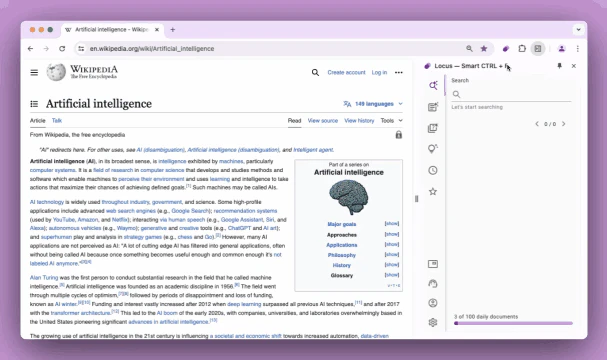
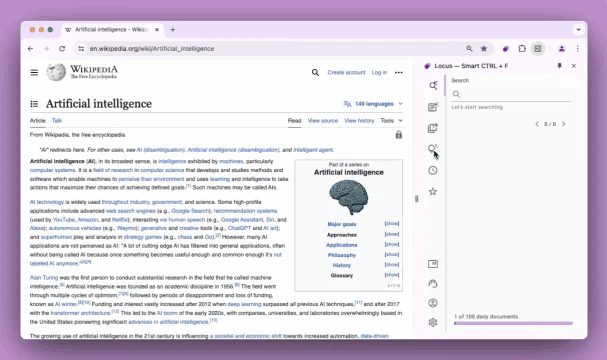
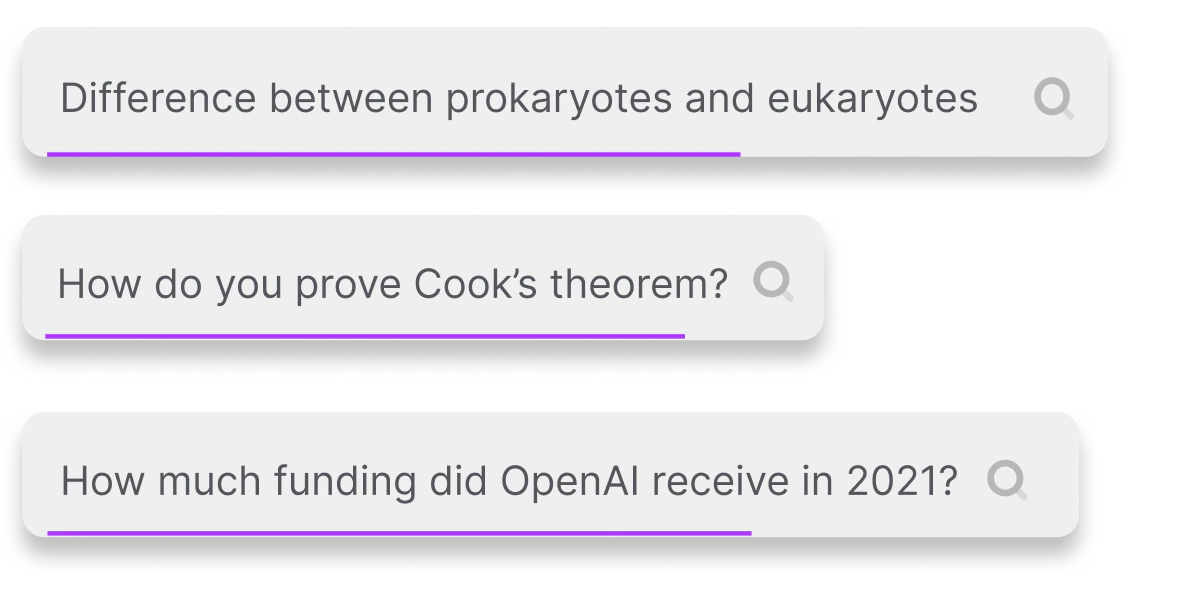
Locus Pros and Cons
Pros
- Natural Language Search: Locus allows users to search using natural language instead of exact keywords, making it easier to find relevant sections in long documents.
- AI Assistance for Research: Locus provides personalized AI assistance that helps users synthesize information, summarize content, and brainstorm research topics.
- Free Tier Available: Locus offers a free version with smart search capabilities and AI assistance, making it accessible for users who may not want to pay.
Cons
- Daily Limit on Free Version: The free version limits users to 3 documents daily, which may not be sufficient for heavy users.
Locus Pricing
Free
Smart Search and AI. 3 Documents Daily, Smart Search, AI Helpers, Web Pages & PDFs, Save Favorites.
Professional
Smart Search and AI. No limits. All Free Features, Advanced AI Models, OpenAI Integration, Faster Processing, Personalized AI.
For the latest pricing, please visit this link: https://www.locusextension.com/
Prices are subject to change. Please visit the official website for the most up-to-date pricing information.
Analytics of Locus
Locus Website Traffic Analysis
Visits Over Time
Traffic Sources
Oct 2025 - Dec 2025 Worldwide Desktop Only
- Social: 41.89%
- Direct: 28.48%
- Search: 23.57%
- Referrals: 4.99%
- Paid Referrals: 0.97%
- Mail: 0.08%
Top Regions
| Region | Percentage |
|---|---|
🇺🇸 United States | 96.40% |
🇮🇳 India | 3.60% |
- United States: 96.40%
- India: 3.60%
Top Keywords
| Keyword | Volume | CPC | Estimated Value |
|---|---|---|---|
| locus login | 1.07K | $0.00 | $0.00 |
| locus ai | 680 | $0.00 | $70.00 |
| locus dashboard login | 210 | $0.00 | $0.00 |
| did they integrate ai into ctrl f | 200 | $0.00 | $0.00 |
Locus Compare
| Tool Name | Introduction | Pricing | Type | Rating | Launch Date | Learn more |
|---|---|---|---|---|---|---|
Dream Interpreter AI | AI Dream Interpretations & Free Dream Dictionary | Free | -- | January 8, 2023 | Get deal | ||
Scrape and Monitor Data from Any Website with No Code - Browse AI | Free | -- | February 15, 1995 | Get deal | ||
Live streaming has never been easier | Capturelab | Free | -- | August 6, 1996 | Get deal |



Info current as of post date. Offers and availability may vary by location and are subject to change.
Locus Q&A
Locus allows you to refer back to sections in long papers, documents, and articles using natural language instead of having to remember exact keywords.
Locus Alternatives
Get started faster, find what you’re looking for, and stay in the flow—with AI tools build for your workflows. Sign up for free today and harness the power of Figma AI.
- Productivity & Office
- Ai Diagram Generator
- Ai Design Generator

Generate stunning images and videos effortlessly with Dreamina's AI.
- Image Generation & Editing
- AI Avatar Generator
- AI Image Generator
- AI Romantic Image & Video Generator

Adobe Firefly is an AI-driven tool for creating unique images, videos, and audio.
- Image Generation & Editing
- AI Image Generator
- AI Photo Editor
- AI Realistic Image Generator