Deepseek Ai - Chrome Extension





What is DeepSeek AI?
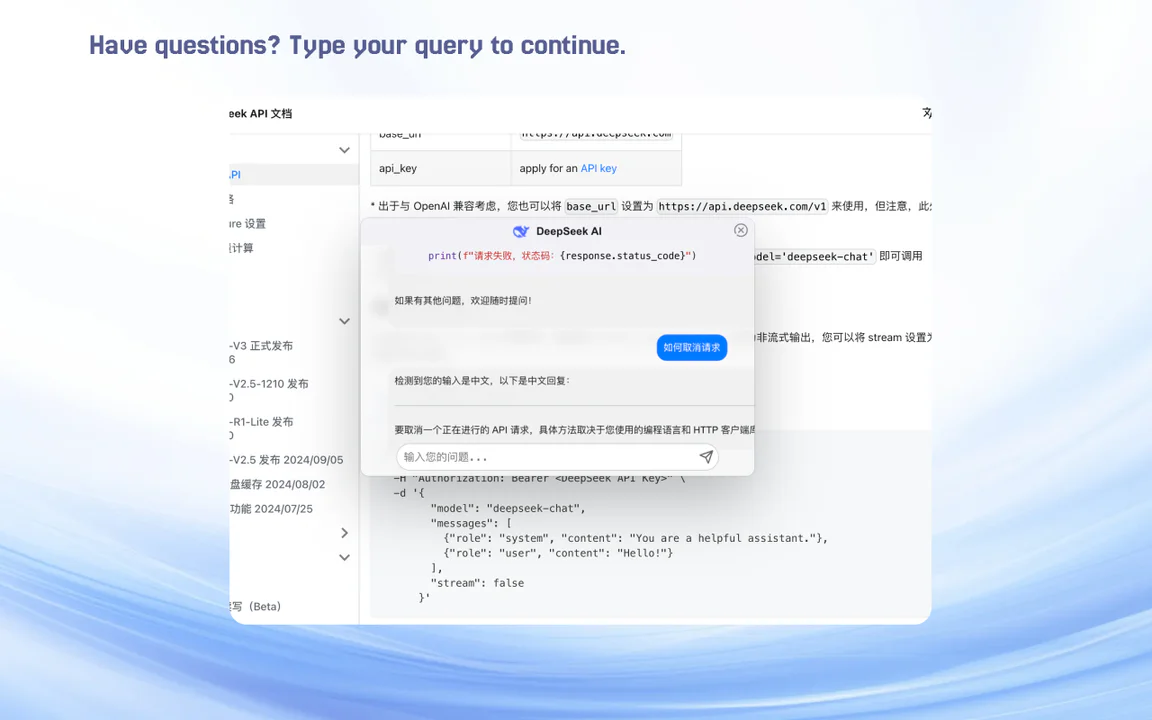
DeepSeek AI is a free and open-source browser extension designed to enhance web content analysis and interaction using advanced AI technology. With its intuitive interface, users can easily engage with the AI by selecting text on a webpage, prompting the tool to provide detailed analysis and responses. This tool is particularly beneficial for users looking to extract valuable insights from online content quickly and efficiently.
How to use DeepSeek AI?
- Install the DeepSeek AI extension from the Chrome Web Store.
- Click the extension icon in your browser's toolbar.
- Enter your API key to activate the service.
- Choose your preferred response language to customize AI interactions.
- Enable the Quick Button feature to control the visibility of the toolbar when text is selected.
- Set custom shortcut keys for quick access to the AI conversation window.
- Highlight text on any webpage to initiate a conversation with the AI.
What are the main features of DeepSeek AI?
- Contextual Text Selection: Highlight any text to trigger AI-powered responses.
- API Key Integration: Input your API key for personalized AI access.
- Draggable and Resizable Window: Easily move and resize the response window on your screen.
- AI Streaming Responses: Experience real-time replies for seamless interaction.
- Markdown Rendering: View formatted responses, including lists and code blocks.
- LaTeX Math Formulas: Render mathematical expressions using LaTeX syntax.
- One-Click Copy: Instantly copy AI responses to your clipboard.
- Regenerate Responses: Request new answers if you are not satisfied with the initial reply.
- Enhanced Code Copy: Easily copy code snippets directly.
- Language Switching: Toggle between different response languages.
- Multi-Turn Conversations: Engage in continuous dialogues with AI for deeper interaction.
- Custom Shortcuts: Quickly open the dialogue window using personalized shortcuts.
Who is DeepSeek AI for?
DeepSeek AI is designed for a wide range of users, including students, researchers, professionals, and casual internet surfers. It is particularly useful for anyone in need of deep insights into web content, whether for academic research, data analysis, or simply enhancing their browsing experience. The tool caters to those who frequently engage with complex information and seek quick, informative responses.
What are the use cases of DeepSeek AI?
- Obtain deep insights into webpage content for academic research.
- Enhance data analysis by extracting relevant information quickly.
- Instantly comprehend complex information while browsing casually.
Deepseek Ai - Chrome Extension Pricing
Free Plan
A free and open-source browser extension tool that allows users to utilize AI for web content analysis.
For the latest pricing, please visit this link: https://chromewebstore.google.com/detail/deepseek-ai/bjjobdlpgglckcmhgmmecijpfobmcpap
Prices are subject to change. Please visit the official website for the most up-to-date pricing information.