Twitter-color Created with Sketch. Amazon-color Created with Sketch. Facebook-color Created with Sketch. github [#142] Created with Sketch. meta_fill Pinterest-color Created with Sketch. ProductHunt-color Created with Sketch. Spotify-color Created with Sketch. Threads Logo Streamline Icon: https://streamlinehq.com Yelp-color Created with Sketch. Youtube-color Created with Sketch.
TopAIToolsTopAITools
  • Free Tools
  • Category
  • Leaderboard
  • Deals
  • Submit
EN
TopAIToolsTopAITools
TopAI

TopAITools

TopAITools, The Best Top AI Tools

AI Glossary|English简体中文繁體中文한국어日本語PortuguêsEspañolDeutschFrançaisTiếng Việt|Map

© 2026 TopAITools. All rights reserved.

About

  • Privacy Policy
  • Terms of use

Contact Us

business@topaitoolsreview.com
Home
Checkget Ai - Chrome Extension
Last updated: July 20, 2026
Checkget Ai - Chrome Extension logo

Checkget Ai - Chrome Extension

Install Extension
5.0|0 Comments|0 Saved
Introduction:
Checkget AI - Smart Assistant for ChatGPT - Chrome Web Store
Updated Time:
--
Official Website:
https://chromewebstore.google.com/detail/checkget-ai-smart-assista/flekfdobikapenebblekbdjbgbhlhbni
Chrome
💼Work🎨Creativity
Checkget Ai - Chrome Extension website screenshot showing Checkget AI - Smart Assistant for ChatGP... interface and features
Use tool
Update this tool
Character Ai logo

Character Ai

Chat with millions of AI Characters on the #1 AI chat app. Where will your next adventure take you?

Docgpt Ai Writer For Docs logo

Docgpt Ai Writer For Docs

GPT for Sheets™ Docs™ Forms™ Slides™ - Google Workspace Marketplace

Workgpt logo

Workgpt

WorkGPT: ChatGPT Gemini AI GPT in Sheets Doc Slide - Google Workspace Marketplace

Docsgpt logo

Docsgpt

DocsGPT for Google Docs™ - Google Workspace Marketplace

Gemini logo

Gemini

Gemini is Google’s AI assistant for writing and brainstorming.

Checkget Ai - Chrome Extension Overview

What is Checkget Ai?

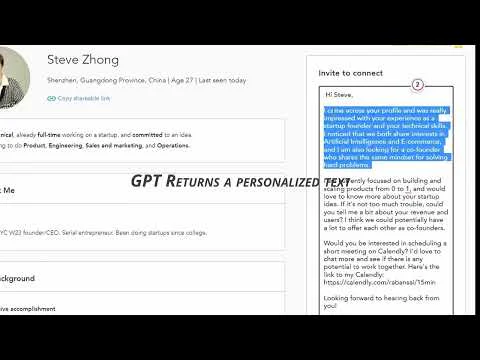
Checkget Ai is a smart assistant for ChatGPT that allows users to utilize ChatGPT on any website by simply pressing Cmd/Alt+K. It helps with composing emails, finding answers, creating documents, chatting, and writing code efficiently.


How to use Checkget Ai?

To use Checkget Ai, press Cmd+K (Mac) or Alt+K (Windows) on any website, or click the extension icon. You can select text to get responses, and everything is encrypted for privacy.


Checkget Ai Compare

Tool NameIntroductionPricing
Type
RatingLaunch DateLearn more
Chatgpt Summarize Everything logo
Chatgpt Summari...
ChatGPT Summarize - Chrome Web Store
Free
🙋‍♂️Personal💼Work
December 31, 1984
Get deal
Chat Gpt Youtube Summarizer logo
Chat Gpt Youtub...
Youtube Summary with ChatGPT - Chrome Web Store
Free
🙋‍♂️Personal💼Work
December 31, 1984
Get deal
Tabtamer logo
Tabtamer
TabTamer - Chrome Web Store
Free
🙋‍♂️Personal💼Work
December 31, 1984
Get deal

Info current as of post date. Offers and availability may vary by location and are subject to change.

FAQ from Checkget Ai AI

Please check the troubleshooting guide.

Alternative of Checkget Ai AI Chrome Extension

Revertgpt Saves You From Cts screenshot

Revertgpt Saves You From Cts

Quick Reply Templates

Chrome
Free
🙋‍♂️Personal💼Work
Install Extension
Chatgpt Gmail Autoreply screenshot

Chatgpt Gmail Autoreply

Item not available

Chrome
Free
💼Work
Install Extension
Eva Ai Web Reading Assitant screenshot

Eva Ai Web Reading Assitant

Item not available

Chrome
Free
Install Extension
Checkget Ai - Chrome Extension logo
Checkget Ai - Chrome ExtensionFree
Install Extension

Checkget Ai Comments (0)

Your rating

?
0/2000

No comments yet

Be the first to share your thoughts!

🚀0
🚀0